Products reviews
Fujitsu fi5110C
$646.00 to $1,150.00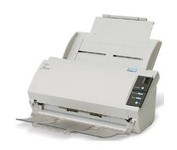
The fi-5110C image scanner with USB 2.0 interface capability expands the market for production scanning. These features will insure Fujitsu's customers' productivity well into the future.
| MPN | PA03360-B055-R |
| Interface | USB 2.0 | Optical Resolution | 600 dpi | Max. Resolution (Hardware) | 600 x 600 dpi | Platform | PC | Max. Color Depth | 24-bit (16.7M Colors) |
| Form Factor | Desktop | Scan Element Type | CCD | Light Source | Cold Cathode Fluorescent Lamp | Input Type | Color | Automatic Document Feeder Capacity | 50 Pages | Max. Gray Depth | 4-Bit (16 Gray Levels) |
| Supported Media Type | Plain Paper | Media Loading Method | Automatic Document Feeder | Max. Supported Media Size | Legal (216 x 356 mm) |
| Platform | PC | Operating System | Microsoft Windows 2000 • Microsoft Windows 98 • Microsoft Windows Millennium Edition • Microsoft Windows NT • Microsoft Windows XP |
| Width | 11.6 in. | Depth | 6.5 in. | Height | 5.1 in. | Weight | 5.95 lb. |
| Release Date | May, 2005 | UPC | 097564306075 | Family Line | Fujitsu fi |
Tags:
fujitsu, fi5110c,Kodak i30
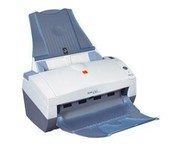
With the i30 Scanner, you get advanced image processing from Kodak that allows you to scan even poor-quality documents at full speed and get exceptional images. The i30 boosts productivity by virtually eliminating the need to rescan or change settings. It features a single CCD and has color, bitonal and grayscale scanning options. For color and black-and-white documents alike, the i30 Scanner captures up to 50 ipm in simultaneous output mode. This small scanner fits easily in any desktop setting, and features a 50-page-capacity automatic document feeder that smoothly handles a wide variety of documents. Even inexperienced or infrequent users will find the i30 scanner easy to use, as features like the multi-feed detection, autocrop, deskew and color dropout for forms processing are standard and automatic. The feature-rich bundled software makes it easy to maximize productivity right out of the box.Minimize
Visioneer RoadWarrior Patriot PRW120WU
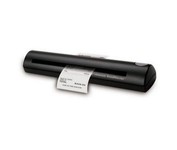
The Visioneer RoadWarrior is the perfect companion for the mobile professional. Weighing just 10.6 ounces, it produces fast and easy 36-bit color scans to organize all of your receipts, business cards, documents and photos up to 600 dpi in all major file formats including searchable PDF. The RoadWarrior packs easily in a laptop bag and is powered by the USB port to scan wherever AC power is unavailable. Bundled software includes ScanSoft PaperPort, the industry’s leading desktop and image management software. Also included is ScanSoft OmniPage, NewSoft BizCard 5, Google Desktop Search, Google Earth, TWAIN and WIA drivers.Minimize
Epson Perfection v600
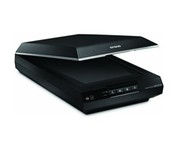
Create extraordinary enlargements from film Remove the appearance of dust and scratches from fi lm Remove the appearance of tears and creases from photos Restore faded color photos with one touch Scan slides, negatives and medium-format panoramic fi lm
HP Scanjet N6010
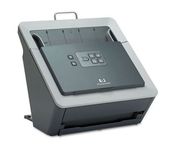
With the HP Scanjet N6010 Document Sheet-feed Scanner, HP further expands its business scanner portfolio. The HP Scanjet N6010 Document Sheet-feed Scanner, HP Scanjet 8300 Professional Image Scanner, HP Scanjet 8270 Flatbed Scanner, HP Scanjet 7650 Document Flatbed Scanner and HP Scanjet 5590 Digital Flatbed Scanner are ideal for general office scanning needs while the HP Scanjet 7800 Sheet-feed Document Scanner and HP Scanjet 8390 and HP 8350 Document Flatbed Scanners are ideal for workgroup document management scanning needs. HP business scanners provide reliable, high-quality, professional resultsMinimize
