HP Scanjet 8300 Professional$288.00 to $728.00
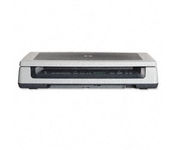
Scan documents, photos, film and other materials with a versatile scanner. Perform common tasks—scan, create PDFs and even make copies by sending a scan to the default printer—with one-touch buttons. Adjust resolution to fit scanning needs.
Manufacturer:Hewlett Packard Product MPN MPN | L1963A | Key Features Scanner Type | Flatbed Scanner | Interface | USB 2.0 | Optical Resolution | 4800 dpi | Max. Resolution (Hardware) | 4800 x 4800 dpi | Max. Resolution (Interpolated) | Up to 999,999 dpi | Platform | PC, Mac | Max. Color Depth | 48-bit Color | Technical Features Form Factor | Desktop | Input Type | Color | Special Features | OCR Capability | Control Panel Buttons | Scan • Copy • Cancel | Max. Gray Depth | 8-Bit (256 Gray Levels) | Media Supported Media Type | Plain Paper • Bulk Objects (Books, etc.) • Photos • 3D Objects • Negatives • Text | Media Loading Method | Manual Load • Optional Automatic Document Feeder | Max. Supported Media Size | 215.9 x 355.6 mm | System Requirements Platform | PC • Mac | Operating System | Apple MacOS • Microsoft Windows 2000 • Microsoft Windows 98 Second Edition • Microsoft Windows Millennium Edition • Microsoft Windows XP Home • Microsoft Windows XP Professional | Dimensions Width | 24.61 in. | Depth | 16.34 in. | Height | 5.12 in. | Weight | 19.6 lb. | Miscellaneous Included Accessories | USB Cable |
Tags:hp, scanjet, 8300, professional,
| CardScan Executive$100.00 to $480.00
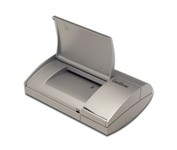
Do your business cards always end up in an unorganized pile on your desk or in your drawer? Does that make it difficult - sometimes impossible - to find the contact you're looking for? CardScan is your solution. CardScan is the fastest and most accurate way to get important business card information into your PC, handheld computer, desktop personal information manager (PIM), or digital mobile phone. The New CardScan 300 Executive is faster, sleeker, and has a detachable card catcher.Minimize
Manufacturer:CardScan Product MPN MPN | CS-A03640-CD | Key Features Scanner Type | Pass-Through Scanner | Interface | Parallel (IEEE1284) | Optical Resolution | 400 dpi | Max. Resolution (Hardware) | 400 x 400 dpi | Platform | PC | Technical Features Form Factor | Portable | Input Type | Monochrome | Max. Gray Depth | 8-Bit (256 Gray Levels) | Media Media Loading Method | Manual Load | System Requirements Platform | PC | Operating System | Microsoft Windows 95 • Microsoft Windows NT | Dimensions Weight | 1.32 lb. | Miscellaneous UPC | 792980030701 |
Tags:cardscan, executive,
|
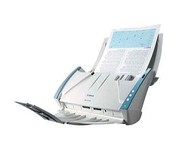
The DR-2510C is a compact workgroup scanner that delivers high levels of performance, ideal for workgroup environments and distributed scanning applications.
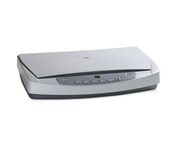
HP ScanJet 5590p is a complete out-of-the-box scanning solution - capture high quality scans from 35 mm slides and negatives. Easy plug-in connection - no need to remove the standard scanner lid.
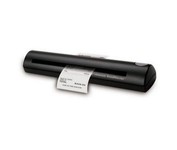
The Visioneer RoadWarrior is the perfect companion for the mobile professional. Weighing just 10.6 ounces, it produces fast and easy 36-bit color scans to organize all of your receipts, business cards, documents and photos up to 600 dpi in all major file formats including searchable PDF. The RoadWarrior packs easily in a laptop bag and is powered by the USB port to scan wherever AC power is unavailable. Bundled software includes ScanSoft PaperPort, the industry’s leading desktop and image management software. Also included is ScanSoft OmniPage, NewSoft BizCard 5, Google Desktop Search, Google Earth, TWAIN and WIA drivers.Minimize
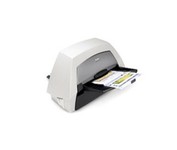
With the ability to handle virtually all your documents, regardless of shape, size or condition, the KODAK i1440 Scanner brings awesome productivity, flexibility, ease of use and enhanced Perfect Page image quality to your tabletop business scanning.
