Products reviews

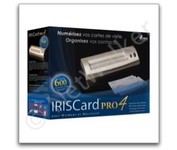
IRISCARD PRO 4

$128.00 to $300.00


The IRISCard Pro 4 business card scanner zips through more than 600 cards per hour, instantly converting stacks of business cards into organized digital contacts.

Manufacturer:Iris Product MPNKey FeaturesTechnical FeaturesMediaSystem RequirementsDimensionsMiscellaneous
MPNUSOA393
Scanner Type   Flatbed Scanner
Interface   USB 2.0
Optical Resolution600 dpi
Max. Resolution (Hardware)600 x 600 dpi
Platform   PC, Mac
Form Factor   Portable
Input TypeColor
Supported Media TypeBusiness Cards
Media Loading MethodManual Load
Platform   PC • Mac
Operating SystemMicrosoft Windows 2000 • Microsoft Windows XP • Microsoft Windows Vista • Apple MacOS X 10.3.9
Width6.1 in.
Depth1.9 in.
Height1.3 in.
Weight0.35 lb.
Included AccessoriesUSB Cable
UPC765010103591


Tags:

iriscard, pro, 4,

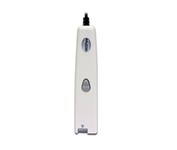
IRISpen Executive 6

$89.00 to $200.00


This scanning pen works just like a highlighter: simply slide it over printed information from newspapers, magazines, faxes, letters, etc... What you get is real and editable text, right at your cursor.

Manufacturer:Iris Product MPNKey FeaturesTechnical FeaturesMediaSystem RequirementsMiscellaneous
MPNHIPEX4TPAGE600
Scanner Type   Fingerprint Reader
Interface   USB 1.1
Platform   PC, Mac
Form Factor   Portable
Input TypeMonochrome
Supported Media TypePlain Paper • Bulk Objects (Books, etc.)
Platform   PC • Mac
Operating SystemMicrosoft Windows 2000 • Microsoft Windows XP • Microsoft Windows Vista • Apple MacOS X 10.3
UPC00765010103270


Tags:

irispen, executive, 6,


HP Scanjet G4010


HP's Scanjet G3010 Photo Scanner provides you with exceptional photo and document scans. You'll create beautiful reprints with 4800 x 9600 DPI resolution. Scan multiple photos, slides or negatives, then save as separate files. Easily convert cherished 35 mm slides and negatives into Digital files you can print, share or save.Minimize


Kodak i30


With the i30 Scanner, you get advanced image processing from Kodak that allows you to scan even poor-quality documents at full speed and get exceptional images. The i30 boosts productivity by virtually eliminating the need to rescan or change settings. It features a single CCD and has color, bitonal and grayscale scanning options. For color and black-and-white documents alike, the i30 Scanner captures up to 50 ipm in simultaneous output mode. This small scanner fits easily in any desktop setting, and features a 50-page-capacity automatic document feeder that smoothly handles a wide variety of documents. Even inexperienced or infrequent users will find the i30 scanner easy to use, as features like the multi-feed detection, autocrop, deskew and color dropout for forms processing are standard and automatic. The feature-rich bundled software makes it easy to maximize productivity right out of the box.Minimize


Canon CanoScan 5600F


This is high-performance scanning at its best. The high-luminance white LED lamps use less power and enable scanning immediately after you press the power button. Seven EZ Buttons automate the scanning process—so it's simple to scan, copy and create emails and multi-page PDFs. To make it even easier, the Auto Scan Mode detects your type of original, then scans and saves it with the optimal settings. How fast? A letter-sized color scan takes only about 11 seconds2.Minimize


HP Scanjet G3110


The versatile HP Scanjet G3110 Photo Scanner makes it easy to preserve, share and archive precious photos and important documents. With one-touch buttons and a quick-and-easy, task-based interface, the HP Scanjet G3110 Photo Scanner is ideal for customers who want to create high quality scans of photos, slides, negatives, documents and 3-D objects. The scanner boasts 4800 x 9600 dots per inch (dpi) and 48-bit color resolution scanning for optimum image quality. HP’s scanning technology allows users to enhance images by restoring faded colors, correcting flaws caused by dust particles and scratches, and removing red-eye from scanned images. The HP Scanjet G3110 also makes it easy to archive, edit, share and print scans thanks to HP Document Manager and HP Photosmart Essential software.Minimize