Canon 220P$1,615.00 to $2,200.00
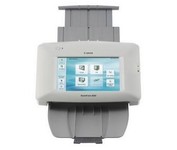
The ScanFront 220P is a LTR-size color duplex network scanner featuring a large 8.5 inch color touch screen, capable of fast, high quality scanning up to 26 pages per minute (35 ipm).
Manufacturer:Canon Product MPN MPN | 2338B002 | Key Features Scanner Type | Flatbed Scanner | Interface | USB 2.0 • RJ-45 Network Adapter | Optical Resolution | 600 dpi | Max. Resolution (Hardware) | 600 x 600 dpi | Platform | PC | Max. Color Depth | 24-bit (16.7M Colors) | Technical Features Form Factor | Desktop | Scan Element Type | CMOS | Light Source | RGB LED | Input Type | Color | Automatic Document Feeder Capacity | 50 Pages | Max. Gray Depth | 8-Bit (256 Gray Levels) | Networking Networking Type | 10/100BaseTx • 10Base-T | Media Supported Media Type | Plain Paper | Media Loading Method | Automatic Document Feeder | Max. Supported Media Size | Legal (216 x 356 mm) | System Requirements Platform | PC | Dimensions Width | 12.2 in. | Depth | 9.21 in. | Height | 6.22 in. | Weight | 7.5 lb. | Miscellaneous Release Date | October, 2007 | UPC | 13803085167 |
Tags:canon, 220p,
| HP 9250c$2,769.00 to $4,719.00
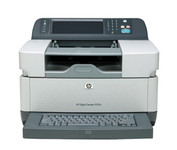
The 9250c Digital sender makes it easy to create electronic copies of your paper documents so you can distribute them easily, store them efficiently, and organize them right along with your other electronic files.
Manufacturer:Hewlett Packard Product MPN MPN | CB472A#ABM | Key Features Scanner Type | Flatbed Scanner | Interface | RJ-45 Network Adapter • USB • EIO | Optical Resolution | 600 dpi | Max. Resolution (Hardware) | 600 x 600 dpi | Platform | PC | Technical Features Form Factor | Stationary | Input Type | Color | Max. Gray Depth | 8-Bit (256 Gray Levels) | Networking Networking Type | Network Adapter | Data Link Protocol | Ethernet • Fast Ethernet | Media Supported Media Type | Labels • Plain Paper | Max. Supported Media Size | Legal (216 x 356 mm) | System Requirements Platform | PC | Operating System | Microsoft Windows 2000 • Microsoft Windows XP • Microsoft Windows Server 2003 Enterprise Edition • Microsoft Windows 2000 Server • Microsoft Windows Server 2003 • Microsoft Windows XP Professional | Dimensions Width | 7.8 in. | Depth | 28.5 in. | Height | 13.4 in. | Weight | 45 lb. | Miscellaneous Included Accessories | Power Cord | UPC | 882780801028 | Family Line | HP Digital Sender |
Tags:hp, 9250c,
|
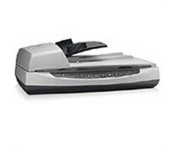
Perform fast document scanning at up to 25 ppm1—load up to 50 pages into the automatic document feeder for unattended scans. Make copies easily, using a dedicated one-touch Copy button that sends scans directly to your default printer.
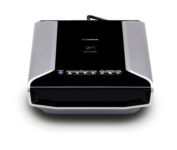
Sleek and fast, this powerful scanner will impress you the very first time you push power. With high-luminance white LED lamps — it's ready to scan immediately, with no warm-up time needed. You'll quickly produce spectacular results, with max. Color dpi resolution of 4800 x 9600. Seven easy buttons automate the scanning process, so it's simple to scan copy and create e-mails and multi-page PDF. Built-in FARE 3.0 retouching technology helps to enhance your final images. And to save time, you can batch-scan up to twelve 35mm frames or up to four slides — either positives or negatives.Minimize
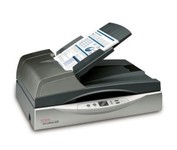
The Xerox DocuMate 632 is a departmental duplex flatbed scanner that scans up to 70 images per minute (ipm) in duplex mode. The 8.5” x 14.5” flatbed is the only departmental scanner that can be programmed to automatically scan to 99 different customizable applications or devices. Documents can be converted to text-searchable PDF in one easy step. Now you can instantly search documents for keywords or phrases. The DocuMate 632’s one-step installation is a snap with the plug and play Hi-Speed USB 2.0 port.Minimize
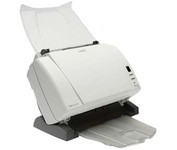
The Kodak i1310 Sheetfed Scanner provides the solution to all of your departmental scanning needs. With the i1310, you can auto-feed virtually any document, from the size of a driver's license up to 34" long, at speeds of up to 60 pages per minute.
