Canon CanoScan 5600F$110.00 to $216.00
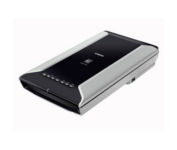
This is high-performance scanning at its best. The high-luminance white LED lamps use less power and enable scanning immediately after you press the power button. Seven EZ Buttons automate the scanning process—so it's simple to scan, copy and create emails and multi-page PDFs. To make it even easier, the Auto Scan Mode detects your type of original, then scans and saves it with the optimal settings. How fast? A letter-sized color scan takes only about 11 seconds2.Minimize
Manufacturer:Canon Product MPN MPN | 2925B002 | Key Features Scanner Type | Flatbed Scanner | Interface | USB 2.0 | Optical Resolution | 4800 dpi | Max. Resolution (Hardware) | 4800 x 9600 dpi | Max. Resolution (Interpolated) | 19200 x 19200 | Platform | PC, Mac | Max. Color Depth | 48-bit Color | Technical Features Form Factor | Desktop | Scan Element Type | CCD | Light Source | White and Infrared LED array | Input Type | Color | Max. Gray Depth | 16-Bit (64K Gray Levels) | Media Max. Supported Media Size | 8.5" x 11.7" | System Requirements Platform | PC • Mac | Operating System | Microsoft Windows 2000 • Microsoft Windows XP • Microsoft Windows Vista • Apple MacOS X 10.3 • Apple MacOS X 10.3.6 • Apple MacOS X 10.4 • Apple MacOS X 10.2.8 • Apple MacOS X 10.5 • Apple MacOS X 10.4.11 | Dimensions Width | 10.7 in. | Depth | 19.4 in. | Height | 3.8 in. | Weight | 9.5 lb. | Warranty Warranty | 1 Year | Miscellaneous Included Accessories | Power Cord • USB Cable | Family Line | Canon CanoScan |
Tags:canon, canoscan, 5600f,
| IRISpen Executive 6$89.00 to $200.00
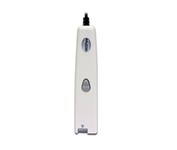
This scanning pen works just like a highlighter: simply slide it over printed information from newspapers, magazines, faxes, letters, etc... What you get is real and editable text, right at your cursor.
Manufacturer:Iris Product MPN MPN | HIPEX4TPAGE600 | Key Features Scanner Type | Fingerprint Reader | Interface | USB 1.1 | Platform | PC, Mac | Technical Features Form Factor | Portable | Input Type | Monochrome | Media Supported Media Type | Plain Paper • Bulk Objects (Books, etc.) | System Requirements Platform | PC • Mac | Operating System | Microsoft Windows 2000 • Microsoft Windows XP • Microsoft Windows Vista • Apple MacOS X 10.3 | Miscellaneous UPC | 00765010103270 |
Tags:irispen, executive, 6,
| HP Scanjet G4010$111.00 to $187.00
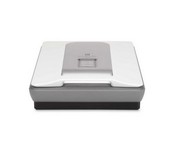
HP's Scanjet G3010 Photo Scanner provides you with exceptional photo and document scans. You'll create beautiful reprints with 4800 x 9600 DPI resolution. Scan multiple photos, slides or negatives, then save as separate files. Easily convert cherished 35 mm slides and negatives into Digital files you can print, share or save.Minimize
Manufacturer:Hewlett Packard Product MPN MPN | L1956AR | Key Features Scanner Type | Flatbed Scanner | Interface | USB 2.0 • USB | Optical Resolution | 4800 dpi | Max. Resolution (Hardware) | 4800 x 9600 dpi | Max. Resolution (Interpolated) | Up to 999,999 dpi | Platform | PC, Mac | Technical Features Form Factor | Desktop | Scan Element Type | CCD | Input Type | Color | Special Features | OCR Capability | Film Scanning Capabilities | 35mm Slides • Negative Film | Preview Speed | 8.5 Sec | System Requirements Platform | PC • Mac | Operating System | Apple MacOS X 10.x • Microsoft Windows 2000 • Microsoft Windows XP • Microsoft Windows XP Home • Microsoft Windows XP Professional • Microsoft Windows XP Pro x64 • Apple MacOS X 10.3 | Dimensions Width | 11.93 in. | Depth | 20 in. | Height | 3.86 in. | Weight | 9.7 lb. | Miscellaneous UPC | 840356676821 |
Tags:hp, scanjet, g4010,
|
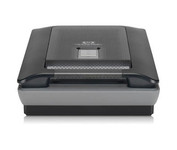
Scan photos and documents with outstanding color and clarity with the HP Scanjet G4050. Designed to quickly and easily preserve precious memories, the G4050 scanner lets you scan slides, negatives, and photos with superior color accuracy. Capture realistic color with high definition photo and film scanning through HP's exclusive 96-bit scanning. Enjoy high-definition scans with 4,800 x 9,600 dpi resolution and preserve crisp text in scanned documents. Minimize
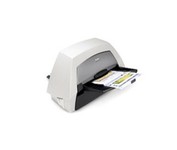
With the ability to handle virtually all your documents, regardless of shape, size or condition, the KODAK i1440 Scanner brings awesome productivity, flexibility, ease of use and enhanced Perfect Page image quality to your tabletop business scanning.
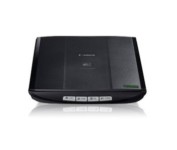
This is simple, high-performance scanning at its best. Four easy buttons automate the entire process, and the new Auto Scan mode makes it even easier: It actually detects the type of original you're scanning—a photo, business card, notebook or form—automatically adjusts settings for the optimal results, then scans and saves the image.Minimize
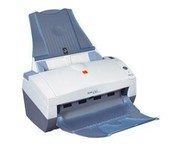
With the i30 Scanner, you get advanced image processing from Kodak that allows you to scan even poor-quality documents at full speed and get exceptional images. The i30 boosts productivity by virtually eliminating the need to rescan or change settings. It features a single CCD and has color, bitonal and grayscale scanning options. For color and black-and-white documents alike, the i30 Scanner captures up to 50 ipm in simultaneous output mode. This small scanner fits easily in any desktop setting, and features a 50-page-capacity automatic document feeder that smoothly handles a wide variety of documents. Even inexperienced or infrequent users will find the i30 scanner easy to use, as features like the multi-feed detection, autocrop, deskew and color dropout for forms processing are standard and automatic. The feature-rich bundled software makes it easy to maximize productivity right out of the box.Minimize