Epson Perfection V700 PHOTO$519.00 to $897.00
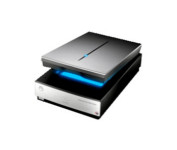
Get professional quality results from virtually any photographic original with the Epson Perfection™ V700 Photo scanner. With groundbreaking 6400 dpi resolution, this powerful scanner consistently delivers precision color and detail, whether scanning slides, negatives or medium format film.
Manufacturer:Epson Product MPN MPN | B11B178011 | Key Features Scanner Type | Flatbed Scanner | Interface | USB 2.0 • FireWire (IEEE1394) | Optical Resolution | 6400 dpi | Max. Resolution (Hardware) | 6400 x 9600 dpi | Max. Resolution (Interpolated) | 12800 x 12800 dpi | Platform | PC, Mac | Max. Color Depth | 48-bit Color | Technical Features Form Factor | Desktop | Scan Element Type | CCD | Light Source | Cold Cathode Fluorescent Lamp | Input Type | Color | Special Features | Built-in Tranparency Unit | Film Scanning Capabilities | 35mm Slides • 35mm Filmstrip | Optical Density | 4 Dmax | Control Panel Buttons | Start | Scaling | 50% to 200% | Max. Gray Depth | 16-Bit (64K Gray Levels) | Media Supported Media Type | Transparencies • 35 mm Film • 35 mm Slides | Max. Supported Media Size | 216 x 297 mm | System Requirements Platform | PC • Mac | Operating System | Microsoft Windows 98 Second Edition • Microsoft Windows Millennium Edition • Microsoft Windows XP Home • Microsoft Windows XP Professional • Apple MacOS X • Microsoft Windows 2000 Pro | Dimensions Width | 19.8 in. | Depth | 12.1 in. | Height | 6 in. | Weight | 14.5 lb. | Warranty Warranty | 1 Year | Miscellaneous Included Accessories | Power Cord • Templates For 35mm Slides • Templates For FilmStrips • Transparent Media Adapter For Slides • USB Cable | Release Date | February, 2006 | UPC | 010343856899 | Family Line | Epson Perfection |
Tags:epson, perfection, v700, photo,
| Canon CanoScan LiDE100$55.00 to $86.00
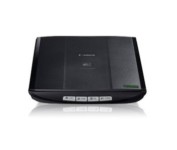
This is simple, high-performance scanning at its best. Four easy buttons automate the entire process, and the new Auto Scan mode makes it even easier: It actually detects the type of original you're scanning—a photo, business card, notebook or form—automatically adjusts settings for the optimal results, then scans and saves the image.Minimize
Manufacturer:Canon Product MPN MPN | 2923B002 | Key Features Scanner Type | Flatbed Scanner | Interface | USB 2.0 | Optical Resolution | 2400 dpi | Max. Resolution (Hardware) | 2400 x 4800 dpi | Max. Resolution (Interpolated) | 19200 x 19200 | Platform | PC, Mac | Max. Color Depth | 48-bit Color | Technical Features Form Factor | Desktop | Scan Element Type | Contact Image Sensor (CIS) | Light Source | RGB LED | Input Type | Color | Max. Gray Depth | 16-Bit (64K Gray Levels) | Media Supported Media Type | Business Cards • Plain Paper • Bulk Objects (Books, etc.) | Media Loading Method | Manual Load | Max. Supported Media Size | 8.5" x 11.7" | System Requirements Platform | PC • Mac | Operating System | Microsoft Windows 2000 • Microsoft Windows XP • Microsoft Windows Vista • Apple MacOS X 10.4 • Apple MacOS X 10.3.9 • Apple MacOS X 10.5 • Apple MacOS X 10.4.11 | Dimensions Width | 9.9 in. | Depth | 14.6 in. | Height | 1.6 in. | Weight | 3.5 lb. | Warranty Warranty | 1 Year | Miscellaneous Included Accessories | USB Cable | UPC | 4960999578064 | Family Line | Canon CanoScan |
Tags:canon, canoscan, lide100,
| Plustek SmartOffice PS282$329.00 to $571.00
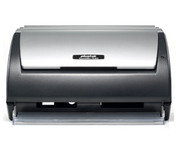
The Plustek SmartOffice PS282 is a compact, high-speed desktop scanning solution that effortlessly converts your paper into digital files. Despite its small size, the PS282 offers high-speed scanning at rates up to 25 Pages Per Minute in simplex or duplex mode.
Manufacturer:Plustek Product MPN MPN | 653-BBM31-C | Key Features Scanner Type | Flatbed Scanner | Interface | USB 2.0 | Optical Resolution | 600 dpi | Max. Resolution (Hardware) | 600 x 600 dpi | Platform | PC | Max. Color Depth | 48-bit Color | Technical Features Form Factor | Desktop | Scan Element Type | Contact Image Sensor (CIS) | Input Type | Color | Special Features | OCR Capability | Control Panel Buttons | Scan • E-mail • OCR • PDF | Automatic Document Feeder Capacity | 50 Pages | Max. Gray Depth | 16-Bit (64K Gray Levels) | Media Supported Media Type | Business Cards • Plain Paper | Media Loading Method | Automatic Document Feeder | Max. Supported Media Size | Legal (216 x 356 mm) | System Requirements Platform | PC | Operating System | Microsoft Windows XP Home • Microsoft Windows XP Professional • Microsoft Windows 2000 Pro | Dimensions Width | 10.36 in. | Depth | 5.02 in. | Height | 5.83 in. | Weight | 3.65 lb. | Miscellaneous UPC | 783064423571 | Family Line | Plustek SmartOffice |
Tags:plustek, smartoffice, ps282,
|
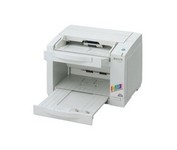
The KV-S2026C WorkGroup color scanner provides you with superior durability with advanced image processing, all at a compact size and price. This scanner is revolutionary in design, with superb paper handling and a small footprint, making it an ideal desktop solution for file management and critical image processing applications. This Panasonic high-performance scanner is engineered for efficient and convenient scanning of your documents. This Panasonic scanner will help your business run smoothly and efficiently. So whether you require simple imaging such as check or receipt filing, need to scan onion skin or card stock, or have an irregular sized document or wrinkled original, this Panasonic scanner will tackle even your toughest imaging challenge.Minimize
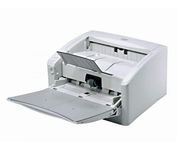
The DR-4010C is a color document scanner featuring state-of-the-art scanning technology that delivers exceptional image quality and speed.
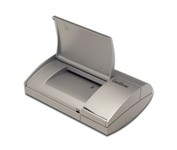
Do your business cards always end up in an unorganized pile on your desk or in your drawer? Does that make it difficult - sometimes impossible - to find the contact you're looking for? CardScan is your solution. CardScan is the fastest and most accurate way to get important business card information into your PC, handheld computer, desktop personal information manager (PIM), or digital mobile phone. The New CardScan 300 Executive is faster, sleeker, and has a detachable card catcher.Minimize
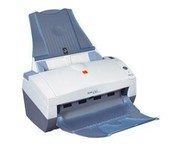
With the i30 Scanner, you get advanced image processing from Kodak that allows you to scan even poor-quality documents at full speed and get exceptional images. The i30 boosts productivity by virtually eliminating the need to rescan or change settings. It features a single CCD and has color, bitonal and grayscale scanning options. For color and black-and-white documents alike, the i30 Scanner captures up to 50 ipm in simultaneous output mode. This small scanner fits easily in any desktop setting, and features a 50-page-capacity automatic document feeder that smoothly handles a wide variety of documents. Even inexperienced or infrequent users will find the i30 scanner easy to use, as features like the multi-feed detection, autocrop, deskew and color dropout for forms processing are standard and automatic. The feature-rich bundled software makes it easy to maximize productivity right out of the box.Minimize