CardScan Executive$100.00 to $480.00
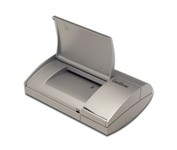
Do your business cards always end up in an unorganized pile on your desk or in your drawer? Does that make it difficult - sometimes impossible - to find the contact you're looking for? CardScan is your solution. CardScan is the fastest and most accurate way to get important business card information into your PC, handheld computer, desktop personal information manager (PIM), or digital mobile phone. The New CardScan 300 Executive is faster, sleeker, and has a detachable card catcher.Minimize
Manufacturer:CardScan Product MPN MPN | CS-A03640-CD | Key Features Scanner Type | Pass-Through Scanner | Interface | Parallel (IEEE1284) | Optical Resolution | 400 dpi | Max. Resolution (Hardware) | 400 x 400 dpi | Platform | PC | Technical Features Form Factor | Portable | Input Type | Monochrome | Max. Gray Depth | 8-Bit (256 Gray Levels) | Media Media Loading Method | Manual Load | System Requirements Platform | PC | Operating System | Microsoft Windows 95 • Microsoft Windows NT | Dimensions Weight | 1.32 lb. | Miscellaneous UPC | 792980030701 |
Tags:cardscan, executive,
| Kodak i1440$3,674.00 to $6,199.00
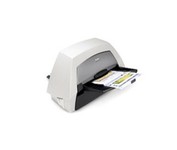
With the ability to handle virtually all your documents, regardless of shape, size or condition, the KODAK i1440 Scanner brings awesome productivity, flexibility, ease of use and enhanced Perfect Page image quality to your tabletop business scanning.
Manufacturer:Kodak Product MPN MPN | 8766198 | Key Features Scanner Type | Pass-Through Scanner | Interface | USB 2.0 | Optical Resolution | 600 dpi | Max. Resolution (Hardware) | 600 x 600 dpi | Max. Resolution (Interpolated) | 1200 x 1200 dpi | Platform | PC | Max. Color Depth | 48-bit Color | Technical Features Form Factor | Desktop | Scan Element Type | CCD | Input Type | Color | Automatic Document Feeder Capacity | 150 Pages | Max. Gray Depth | 8-Bit (256 Gray Levels) | Media Supported Media Type | Cards • Plain Paper | Media Loading Method | Manual Load • Automatic Document Feeder | System Requirements Platform | PC | Operating System | Microsoft Windows XP • Microsoft Windows 2000 Pro • Microsoft Windows Vista | Dimensions Width | 21.5 in. | Depth | 11.8 in. | Height | 14.4 in. | Weight | 23 lb. | Warranty Warranty | 1 Year | Miscellaneous UPC | 0041778766194 | Family Line | Kodak i |
Tags:kodak, i1440,
| Canon DR4010C$1,968.00 to $3,200.00
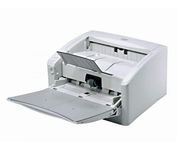
The DR-4010C is a color document scanner featuring state-of-the-art scanning technology that delivers exceptional image quality and speed.
Manufacturer:Canon Product MPN MPN | 1321B002AB | Key Features Interface | USB 2.0 • Ultra SCSI | Optical Resolution | 600 dpi | Max. Resolution (Hardware) | 600 x 600 dpi | Platform | PC | Max. Color Depth | 24-bit (16.7M Colors) | Technical Features Form Factor | Desktop | Light Source | RGB LED | Input Type | Color | Automatic Document Feeder Capacity | 100 Pages | Max. Gray Depth | 8-Bit (256 Gray Levels) | Media Supported Media Type | Plain Paper | Media Loading Method | Manual Load | Max. Supported Media Size | Legal (216 x 356 mm) | System Requirements Platform | PC | Dimensions Width | 12.52 in. | Depth | 10.94 in. | Height | 7.3 in. | Weight | 13.89 lb. | Miscellaneous Release Date | January, 2007 | UPC | 0013803065664 |
Tags:canon, dr4010c,
|
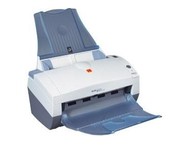
This document scanner with advanced image processing features delivers exceptional image quality, productivity, and ease of use for customers in small offices or small-group applications within large organizations. For color and black-and-white documents alike, the KODAK i40 Scanner captures both sides of documents simultaneously at speeds up to 50 images per minute (IPM). This small scanner fits easily in any desktop setting, and features a 50-page-capacity automatic document feeder that smoothly handles a wide variety of documents. Even inexperienced or infrequent users will find the i40 scanner easy to use, as features like multi-feed detection, autocrop and deskew, and color dropout for forms processing are standard and automatic. This scanner offers an unprecedented level of price/performance for end users. PRODUCT FEATURES: Scanning technology: Dual CCD.Minimize
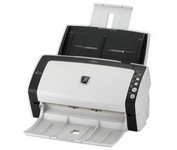
With duplex scanning performance of up to 80 images per minute in monochrome and grayscale, the fi-6130 also delivers uncompromised high-resolution performance of up to 60 images per minute in color at an astounding 300 dpi.
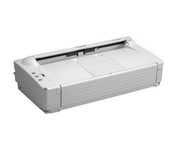
The DR-2580C fits neatly on your desk, shelf or countertop so you'll hardly notice it at all until you need fast, sharp scanning. Ideal for busy enterprises where instant document capture is essential in a small space.
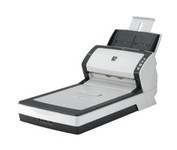
With duplex scanning performance of up to 80 images per minute in monochrome and grayscale, the fi-6230 also delivers uncompromised high-resolution performance of up to 60 images per minute in color at an astounding 300 dpi.