Fujitsu fi5110C$646.00 to $1,150.00
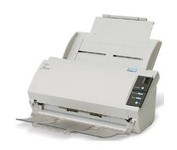
The fi-5110C image scanner with USB 2.0 interface capability expands the market for production scanning. These features will insure Fujitsu's customers' productivity well into the future.
Manufacturer:Fujitsu Product MPN MPN | PA03360-B055-R | Key Features Interface | USB 2.0 | Optical Resolution | 600 dpi | Max. Resolution (Hardware) | 600 x 600 dpi | Platform | PC | Max. Color Depth | 24-bit (16.7M Colors) | Technical Features Form Factor | Desktop | Scan Element Type | CCD | Light Source | Cold Cathode Fluorescent Lamp | Input Type | Color | Automatic Document Feeder Capacity | 50 Pages | Max. Gray Depth | 4-Bit (16 Gray Levels) | Media Supported Media Type | Plain Paper | Media Loading Method | Automatic Document Feeder | Max. Supported Media Size | Legal (216 x 356 mm) | System Requirements Platform | PC | Operating System | Microsoft Windows 2000 • Microsoft Windows 98 • Microsoft Windows Millennium Edition • Microsoft Windows NT • Microsoft Windows XP | Dimensions Width | 11.6 in. | Depth | 6.5 in. | Height | 5.1 in. | Weight | 5.95 lb. | Miscellaneous Release Date | May, 2005 | UPC | 097564306075 | Family Line | Fujitsu fi |
Tags:fujitsu, fi5110c,
| Epson Perfection V750M PRO$755.00 to $1,272.00
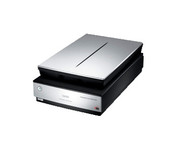
Enjoy unparalleled performance when scanning negatives, slides or prints, with the Epson Perfection™ V750-M Pro, the first flatbed scanner with groundbreaking 6400 dpi resolution and unique fluid mount capabilities for photo studio applications.
Manufacturer:Epson Product MPN MPN | B11B178071CA | Key Features Scanner Type | Film Scanner (35 mm) • Flatbed Scanner | Interface | USB 2.0 • FireWire (IEEE1394) | Optical Resolution | 6400 dpi | Max. Resolution (Hardware) | 6400 x 9600 dpi | Max. Resolution (Interpolated) | 12800 x 12800 dpi | Platform | PC, Mac | Max. Color Depth | 48-bit Color | Technical Features Form Factor | Desktop | Scan Element Type | CCD | Light Source | Cold Cathode Fluorescent Lamp | Input Type | Color | Special Features | Built-in Tranparency Unit • OCR Capability | Film Scanning Capabilities | 35mm Slides • 35mm Filmstrip • Negative Film • Color Film • Monochrome Film • Batch Scanning • Mounted Slides | Optical Density | 4 Dmax | Control Panel Buttons | Start | Max. Gray Depth | 16-Bit (64K Gray Levels) | Media Supported Media Type | Transparencies • Photos • 35 mm Film • 35 mm Slides • Film • Negatives • Slides | Media Loading Method | Manual Load | Max. Supported Media Size | 8.5" x 11.7" | System Requirements Platform | PC • Mac | Operating System | Microsoft Windows 98 Second Edition • Microsoft Windows Millennium Edition • Microsoft Windows XP Home • Microsoft Windows XP Professional • Apple MacOS X • Microsoft Windows 2000 Pro | Dimensions Width | 12 in. | Depth | 20 in. | Height | 6 in. | Weight | 14.5 lb. | Warranty Warranty | 1 Year | Miscellaneous Included Accessories | Power Cord • Transparent Media Adapter For Negatives • Transparent Media Adapter For Slides • USB Cable | Release Date | May, 2006 | UPC | 010343856905 | Family Line | Epson Perfection |
Tags:epson, perfection, v750m, pro,
| HP Scanjet 8300 Professional$288.00 to $728.00
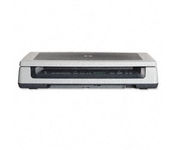
Scan documents, photos, film and other materials with a versatile scanner. Perform common tasks—scan, create PDFs and even make copies by sending a scan to the default printer—with one-touch buttons. Adjust resolution to fit scanning needs.
Manufacturer:Hewlett Packard Product MPN MPN | L1963A | Key Features Scanner Type | Flatbed Scanner | Interface | USB 2.0 | Optical Resolution | 4800 dpi | Max. Resolution (Hardware) | 4800 x 4800 dpi | Max. Resolution (Interpolated) | Up to 999,999 dpi | Platform | PC, Mac | Max. Color Depth | 48-bit Color | Technical Features Form Factor | Desktop | Input Type | Color | Special Features | OCR Capability | Control Panel Buttons | Scan • Copy • Cancel | Max. Gray Depth | 8-Bit (256 Gray Levels) | Media Supported Media Type | Plain Paper • Bulk Objects (Books, etc.) • Photos • 3D Objects • Negatives • Text | Media Loading Method | Manual Load • Optional Automatic Document Feeder | Max. Supported Media Size | 215.9 x 355.6 mm | System Requirements Platform | PC • Mac | Operating System | Apple MacOS • Microsoft Windows 2000 • Microsoft Windows 98 Second Edition • Microsoft Windows Millennium Edition • Microsoft Windows XP Home • Microsoft Windows XP Professional | Dimensions Width | 24.61 in. | Depth | 16.34 in. | Height | 5.12 in. | Weight | 19.6 lb. | Miscellaneous Included Accessories | USB Cable |
Tags:hp, scanjet, 8300, professional,
|
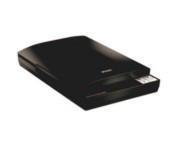
This versatile performer even includes a high-rise lid for scanning books and other 3D objects. And, it offers easy setup and one-touch scanning. So, whether you choose to archive important documents or copy the soccer team photo, you can be up and running in no time.
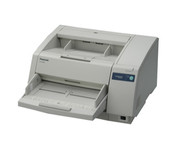
The KV-S3065CL high-speed scanner is the reliable choice for low volume color document management solutions. With its capability to detect color and black & white pages this attribute reduces scan-to-file size while promoting a more efficient scanning process. The switch able reference accommodates software and driver specific requirements by supporting both black and white references, this then also ensures the highest quality of accuracy when cropping and/ or de-skewing. Hybrid Contact Image Sensor Technology incorporates a 3-line CCD image sensor and dual fluorescent white lamps, resulting in the best technologies.Minimize
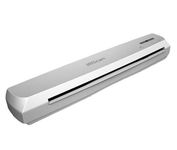
The IRIS IRISCan Executive 2 Portable Sheetfeed Scanner is a powerful, compact and lightweight 600-dpi color scanner, that provides exceptional quality scanning for easy management of documents and photos, and includes software that will enhance and simplify your scanning needs, and even provide language translation of scanned documents.Minimize
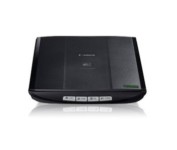
This is simple, high-performance scanning at its best. Four easy buttons automate the entire process, and the new Auto Scan mode makes it even easier: It actually detects the type of original you're scanning—a photo, business card, notebook or form—automatically adjusts settings for the optimal results, then scans and saves the image.Minimize