Fujitsu Fi6240$1,795.00 to $2,149.00
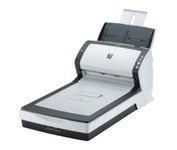
The fi-6240 is the first business scanner in its class to inherit highly regarded intelligent "fi-Series" automatic features from its higher end siblings.
Manufacturer:Fujitsu Product MPN MPN | PA03540-B505-R | Key Features Scanner Type | Flatbed Scanner | Interface | USB 1.1 • USB 2.0 • Ultra SCSI | Optical Resolution | 600 dpi | Max. Resolution (Hardware) | 600 x 600 dpi | Platform | PC | Max. Color Depth | 24-bit (16.7M Colors) | Technical Features Form Factor | Desktop | Scan Element Type | CCD | Light Source | Cold Cathode Fluorescent Lamp | Input Type | Color | Automatic Document Feeder Capacity | 50 Pages | Max. Gray Depth | 8-Bit (256 Gray Levels) | Media Supported Media Type | Plain Paper | Media Loading Method | Automatic Document Feeder | Max. Supported Media Size | Legal (216 x 356 mm) | System Requirements Platform | PC | Operating System | Microsoft Windows XP • Microsoft Windows Server 2003 • Microsoft Windows 2000 Pro • Microsoft Windows Vista | Dimensions Width | 11.8 in. | Depth | 22.9 in. | Height | 9 in. | Weight | 19.36 lb. | Miscellaneous UPC | 4939761302046 | Family Line | Fujitsu fi |
Tags:fujitsu, fi6240,
| IRISCARD PRO 4$128.00 to $300.00
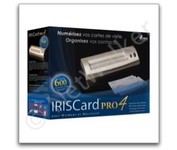
The IRISCard Pro 4 business card scanner zips through more than 600 cards per hour, instantly converting stacks of business cards into organized digital contacts.
Manufacturer:Iris Product MPN MPN | USOA393 | Key Features Scanner Type | Flatbed Scanner | Interface | USB 2.0 | Optical Resolution | 600 dpi | Max. Resolution (Hardware) | 600 x 600 dpi | Platform | PC, Mac | Technical Features Form Factor | Portable | Input Type | Color | Media Supported Media Type | Business Cards | Media Loading Method | Manual Load | System Requirements Platform | PC • Mac | Operating System | Microsoft Windows 2000 • Microsoft Windows XP • Microsoft Windows Vista • Apple MacOS X 10.3.9 | Dimensions Width | 6.1 in. | Depth | 1.9 in. | Height | 1.3 in. | Weight | 0.35 lb. | Miscellaneous Included Accessories | USB Cable | UPC | 765010103591 |
Tags:iriscard, pro, 4,
| Fujitsu fi5110C$646.00 to $1,150.00
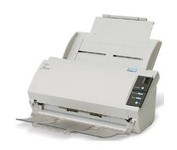
The fi-5110C image scanner with USB 2.0 interface capability expands the market for production scanning. These features will insure Fujitsu's customers' productivity well into the future.
Manufacturer:Fujitsu Product MPN MPN | PA03360-B055-R | Key Features Interface | USB 2.0 | Optical Resolution | 600 dpi | Max. Resolution (Hardware) | 600 x 600 dpi | Platform | PC | Max. Color Depth | 24-bit (16.7M Colors) | Technical Features Form Factor | Desktop | Scan Element Type | CCD | Light Source | Cold Cathode Fluorescent Lamp | Input Type | Color | Automatic Document Feeder Capacity | 50 Pages | Max. Gray Depth | 4-Bit (16 Gray Levels) | Media Supported Media Type | Plain Paper | Media Loading Method | Automatic Document Feeder | Max. Supported Media Size | Legal (216 x 356 mm) | System Requirements Platform | PC | Operating System | Microsoft Windows 2000 • Microsoft Windows 98 • Microsoft Windows Millennium Edition • Microsoft Windows NT • Microsoft Windows XP | Dimensions Width | 11.6 in. | Depth | 6.5 in. | Height | 5.1 in. | Weight | 5.95 lb. | Miscellaneous Release Date | May, 2005 | UPC | 097564306075 | Family Line | Fujitsu fi |
Tags:fujitsu, fi5110c,
|
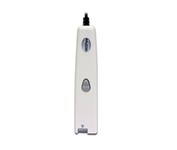
This scanning pen works just like a highlighter: simply slide it over printed information from newspapers, magazines, faxes, letters, etc... What you get is real and editable text, right at your cursor.
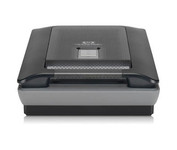
Scan photos and documents with outstanding color and clarity with the HP Scanjet G4050. Designed to quickly and easily preserve precious memories, the G4050 scanner lets you scan slides, negatives, and photos with superior color accuracy. Capture realistic color with high definition photo and film scanning through HP's exclusive 96-bit scanning. Enjoy high-definition scans with 4,800 x 9,600 dpi resolution and preserve crisp text in scanned documents. Minimize
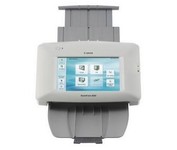
The ScanFront 220P is a LTR-size color duplex network scanner featuring a large 8.5 inch color touch screen, capable of fast, high quality scanning up to 26 pages per minute (35 ipm).
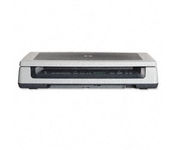
Scan documents, photos, film and other materials with a versatile scanner. Perform common tasks—scan, create PDFs and even make copies by sending a scan to the default printer—with one-touch buttons. Adjust resolution to fit scanning needs.