Kodak i1440$3,674.00 to $6,199.00
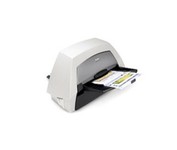
With the ability to handle virtually all your documents, regardless of shape, size or condition, the KODAK i1440 Scanner brings awesome productivity, flexibility, ease of use and enhanced Perfect Page image quality to your tabletop business scanning.
Manufacturer:Kodak Product MPN MPN | 8766198 | Key Features Scanner Type | Pass-Through Scanner | Interface | USB 2.0 | Optical Resolution | 600 dpi | Max. Resolution (Hardware) | 600 x 600 dpi | Max. Resolution (Interpolated) | 1200 x 1200 dpi | Platform | PC | Max. Color Depth | 48-bit Color | Technical Features Form Factor | Desktop | Scan Element Type | CCD | Input Type | Color | Automatic Document Feeder Capacity | 150 Pages | Max. Gray Depth | 8-Bit (256 Gray Levels) | Media Supported Media Type | Cards • Plain Paper | Media Loading Method | Manual Load • Automatic Document Feeder | System Requirements Platform | PC | Operating System | Microsoft Windows XP • Microsoft Windows 2000 Pro • Microsoft Windows Vista | Dimensions Width | 21.5 in. | Depth | 11.8 in. | Height | 14.4 in. | Weight | 23 lb. | Warranty Warranty | 1 Year | Miscellaneous UPC | 0041778766194 | Family Line | Kodak i |
Tags:kodak, i1440,
| Kodak ScanMate i1120$371.00 to $603.00
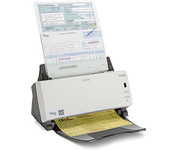
The KODAK SCANMATE i1120 Scanner transforms your paper documents into high-quality digital images that can be managed, sent, filed, and found—easily. One push of a button puts you in control of your documents and organizes your information.
Manufacturer:Kodak Product MPN MPN | IHM3B | Key Features Scanner Type | Flatbed Scanner | Interface | USB 2.0 | Optical Resolution | 600 dpi | Max. Resolution (Hardware) | 600 x 600 dpi | Max. Resolution (Interpolated) | 1200 x 1200 dpi | Platform | PC | Max. Color Depth | 24-bit (16.7M Colors) | Technical Features Form Factor | Desktop | Scan Element Type | CCD | Light Source | Cold Cathode Fluorescent Lamp | Input Type | Color | Automatic Document Feeder Capacity | 50 Pages | Max. Gray Depth | 8-Bit (256 Gray Levels) | Media Supported Media Type | Plain Paper | Media Loading Method | Automatic Document Feeder | Max. Supported Media Size | 8.5 X 34 in | System Requirements Platform | PC | Operating System | Microsoft Windows 2000 • Microsoft Windows XP • Microsoft Windows Vista | Dimensions Width | 11.8 in. | Depth | 6.2 in. | Height | 5.8 in. | Weight | 5.9 lb. | Warranty Warranty | 1 Year |
Tags:kodak, scanmate, i1120,
| IRISCARD PRO 4$128.00 to $300.00
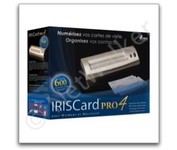
The IRISCard Pro 4 business card scanner zips through more than 600 cards per hour, instantly converting stacks of business cards into organized digital contacts.
Manufacturer:Iris Product MPN MPN | USOA393 | Key Features Scanner Type | Flatbed Scanner | Interface | USB 2.0 | Optical Resolution | 600 dpi | Max. Resolution (Hardware) | 600 x 600 dpi | Platform | PC, Mac | Technical Features Form Factor | Portable | Input Type | Color | Media Supported Media Type | Business Cards | Media Loading Method | Manual Load | System Requirements Platform | PC • Mac | Operating System | Microsoft Windows 2000 • Microsoft Windows XP • Microsoft Windows Vista • Apple MacOS X 10.3.9 | Dimensions Width | 6.1 in. | Depth | 1.9 in. | Height | 1.3 in. | Weight | 0.35 lb. | Miscellaneous Included Accessories | USB Cable | UPC | 765010103591 |
Tags:iriscard, pro, 4,
|
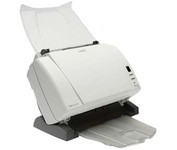
The Kodak i1310 Sheetfed Scanner provides the solution to all of your departmental scanning needs. With the i1310, you can auto-feed virtually any document, from the size of a driver's license up to 34" long, at speeds of up to 60 pages per minute.
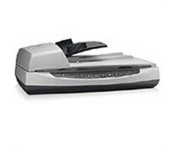
Perform fast document scanning at up to 25 ppm1—load up to 50 pages into the automatic document feeder for unattended scans. Make copies easily, using a dedicated one-touch Copy button that sends scans directly to your default printer.
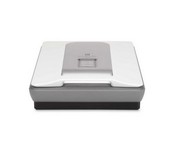
HP's Scanjet G3010 Photo Scanner provides you with exceptional photo and document scans. You'll create beautiful reprints with 4800 x 9600 DPI resolution. Scan multiple photos, slides or negatives, then save as separate files. Easily convert cherished 35 mm slides and negatives into Digital files you can print, share or save.Minimize
The KODAK SCANMATE i1120 Scanner transforms your paper documents into high-quality digital images that can be managed, sent, filed, and found—easily. One push of a button puts you in control of your documents and organizes your information.