Kodak i1440$3,674.00 to $6,199.00
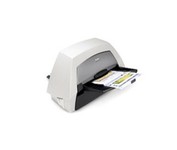
With the ability to handle virtually all your documents, regardless of shape, size or condition, the KODAK i1440 Scanner brings awesome productivity, flexibility, ease of use and enhanced Perfect Page image quality to your tabletop business scanning.
Manufacturer:Kodak Product MPN MPN | 8766198 | Key Features Scanner Type | Pass-Through Scanner | Interface | USB 2.0 | Optical Resolution | 600 dpi | Max. Resolution (Hardware) | 600 x 600 dpi | Max. Resolution (Interpolated) | 1200 x 1200 dpi | Platform | PC | Max. Color Depth | 48-bit Color | Technical Features Form Factor | Desktop | Scan Element Type | CCD | Input Type | Color | Automatic Document Feeder Capacity | 150 Pages | Max. Gray Depth | 8-Bit (256 Gray Levels) | Media Supported Media Type | Cards • Plain Paper | Media Loading Method | Manual Load • Automatic Document Feeder | System Requirements Platform | PC | Operating System | Microsoft Windows XP • Microsoft Windows 2000 Pro • Microsoft Windows Vista | Dimensions Width | 21.5 in. | Depth | 11.8 in. | Height | 14.4 in. | Weight | 23 lb. | Warranty Warranty | 1 Year | Miscellaneous UPC | 0041778766194 | Family Line | Kodak i |
Tags:kodak, i1440,
| Panasonic KVS2026C$750.00 to $1,659.00
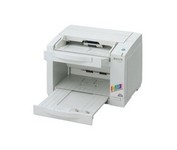
The KV-S2026C WorkGroup color scanner provides you with superior durability with advanced image processing, all at a compact size and price. This scanner is revolutionary in design, with superb paper handling and a small footprint, making it an ideal desktop solution for file management and critical image processing applications. This Panasonic high-performance scanner is engineered for efficient and convenient scanning of your documents. This Panasonic scanner will help your business run smoothly and efficiently. So whether you require simple imaging such as check or receipt filing, need to scan onion skin or card stock, or have an irregular sized document or wrinkled original, this Panasonic scanner will tackle even your toughest imaging challenge.Minimize
Manufacturer:Panasonic Product MPN MPN | KV-S2026C | Key Features Scanner Type | Pass-Through Scanner | Interface | USB 2.0 • SCSI-3 Ultra Wide (16-bit) | Optical Resolution | 600 dpi | Max. Resolution (Hardware) | 600 x 600 dpi | Platform | PC | Max. Color Depth | 24-bit (16.7M Colors) | Technical Features Form Factor | Desktop | Scan Element Type | Contact Image Sensor (CIS) | Input Type | Color | Automatic Document Feeder Capacity | 120 Pages | Max. Gray Depth | 8-Bit (256 Gray Levels) | Media Supported Media Type | Plain Paper | Media Loading Method | Autoload • Automatic Document Feeder | Max. Supported Media Size | 216 x 635 mm | System Requirements Platform | PC | Operating System | Microsoft Windows 2000 • Microsoft Windows 95 • Microsoft Windows 98 • Microsoft Windows Millennium Edition • Microsoft Windows NT • Microsoft Windows XP | Dimensions Width | 13.5 in. | Depth | 19.2 in. | Height | 10.6 in. | Weight | 18.7 lb. | Miscellaneous Included Accessories | Power Cord | UPC | 092281824178 | Family Line | Panasonic KV |
Tags:panasonic, kvs2026c,
| IRISpen Executive 6$89.00 to $200.00
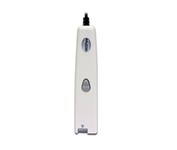
This scanning pen works just like a highlighter: simply slide it over printed information from newspapers, magazines, faxes, letters, etc... What you get is real and editable text, right at your cursor.
Manufacturer:Iris Product MPN MPN | HIPEX4TPAGE600 | Key Features Scanner Type | Fingerprint Reader | Interface | USB 1.1 | Platform | PC, Mac | Technical Features Form Factor | Portable | Input Type | Monochrome | Media Supported Media Type | Plain Paper • Bulk Objects (Books, etc.) | System Requirements Platform | PC • Mac | Operating System | Microsoft Windows 2000 • Microsoft Windows XP • Microsoft Windows Vista • Apple MacOS X 10.3 | Miscellaneous UPC | 00765010103270 |
Tags:irispen, executive, 6,
|