HP Scanjet 8300 Professional$288.00 to $728.00
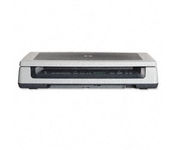
Scan documents, photos, film and other materials with a versatile scanner. Perform common tasks—scan, create PDFs and even make copies by sending a scan to the default printer—with one-touch buttons. Adjust resolution to fit scanning needs.
Manufacturer:Hewlett Packard Product MPN MPN | L1963A | Key Features Scanner Type | Flatbed Scanner | Interface | USB 2.0 | Optical Resolution | 4800 dpi | Max. Resolution (Hardware) | 4800 x 4800 dpi | Max. Resolution (Interpolated) | Up to 999,999 dpi | Platform | PC, Mac | Max. Color Depth | 48-bit Color | Technical Features Form Factor | Desktop | Input Type | Color | Special Features | OCR Capability | Control Panel Buttons | Scan • Copy • Cancel | Max. Gray Depth | 8-Bit (256 Gray Levels) | Media Supported Media Type | Plain Paper • Bulk Objects (Books, etc.) • Photos • 3D Objects • Negatives • Text | Media Loading Method | Manual Load • Optional Automatic Document Feeder | Max. Supported Media Size | 215.9 x 355.6 mm | System Requirements Platform | PC • Mac | Operating System | Apple MacOS • Microsoft Windows 2000 • Microsoft Windows 98 Second Edition • Microsoft Windows Millennium Edition • Microsoft Windows XP Home • Microsoft Windows XP Professional | Dimensions Width | 24.61 in. | Depth | 16.34 in. | Height | 5.12 in. | Weight | 19.6 lb. | Miscellaneous Included Accessories | USB Cable |
Tags:hp, scanjet, 8300, professional,
| Canon CanoScan LiDE100$55.00 to $86.00
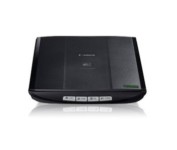
This is simple, high-performance scanning at its best. Four easy buttons automate the entire process, and the new Auto Scan mode makes it even easier: It actually detects the type of original you're scanning—a photo, business card, notebook or form—automatically adjusts settings for the optimal results, then scans and saves the image.Minimize
Manufacturer:Canon Product MPN MPN | 2923B002 | Key Features Scanner Type | Flatbed Scanner | Interface | USB 2.0 | Optical Resolution | 2400 dpi | Max. Resolution (Hardware) | 2400 x 4800 dpi | Max. Resolution (Interpolated) | 19200 x 19200 | Platform | PC, Mac | Max. Color Depth | 48-bit Color | Technical Features Form Factor | Desktop | Scan Element Type | Contact Image Sensor (CIS) | Light Source | RGB LED | Input Type | Color | Max. Gray Depth | 16-Bit (64K Gray Levels) | Media Supported Media Type | Business Cards • Plain Paper • Bulk Objects (Books, etc.) | Media Loading Method | Manual Load | Max. Supported Media Size | 8.5" x 11.7" | System Requirements Platform | PC • Mac | Operating System | Microsoft Windows 2000 • Microsoft Windows XP • Microsoft Windows Vista • Apple MacOS X 10.4 • Apple MacOS X 10.3.9 • Apple MacOS X 10.5 • Apple MacOS X 10.4.11 | Dimensions Width | 9.9 in. | Depth | 14.6 in. | Height | 1.6 in. | Weight | 3.5 lb. | Warranty Warranty | 1 Year | Miscellaneous Included Accessories | USB Cable | UPC | 4960999578064 | Family Line | Canon CanoScan |
Tags:canon, canoscan, lide100,
| Canon DR2580C$459.00 to $1,095.00
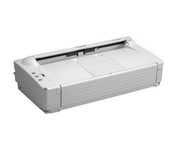
The DR-2580C fits neatly on your desk, shelf or countertop so you'll hardly notice it at all until you need fast, sharp scanning. Ideal for busy enterprises where instant document capture is essential in a small space.
Manufacturer:Canon Product MPN MPN | 0080B002AA | Key Features Scanner Type | Pass-Through Scanner | Interface | USB 2.0 | Optical Resolution | 600 dpi | Max. Resolution (Hardware) | 600 x 600 dpi | Platform | PC | Max. Color Depth | 24-bit (16.7M Colors) | Technical Features Form Factor | Desktop | Scan Element Type | Contact Image Sensor (CIS) | Light Source | RGB LED | Input Type | Color | Special Features | OCR Capability | Control Panel Buttons | E-mail | Automatic Document Feeder Capacity | 100 Pages | Max. Gray Depth | 8-Bit (256 Gray Levels) | Media Supported Media Type | Business Cards • Plain Paper | Media Loading Method | Manual Load • Automatic Document Feeder | Max. Supported Media Size | Legal (216 x 356 mm) | System Requirements Platform | PC | Operating System | Microsoft Windows 2000 • Microsoft Windows 98 • Microsoft Windows Millennium Edition • Microsoft Windows XP | Dimensions Width | 12 in. | Depth | 6.6 in. | Height | 3.2 in. | Weight | 4.2 lb. | Miscellaneous Release Date | March, 2005 | UPC | 013803047509 |
Tags:canon, dr2580c,
|
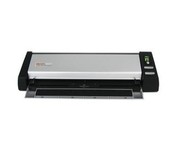
The Plustek MobileOffice D28 Corporate, a portable duplex scanner with hyper fast scanning speed, has perfect design for small business or work group usage.
The DR-2580C fits neatly on your desk, shelf or countertop so you'll hardly notice it at all until you need fast, sharp scanning. Ideal for busy enterprises where instant document capture is essential in a small space.
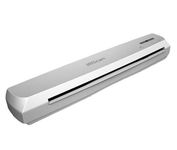
The IRIS IRISCan Executive 2 Portable Sheetfeed Scanner is a powerful, compact and lightweight 600-dpi color scanner, that provides exceptional quality scanning for easy management of documents and photos, and includes software that will enhance and simplify your scanning needs, and even provide language translation of scanned documents.Minimize
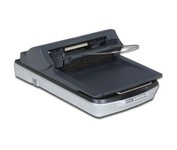
Named aptly, the Epson Perfection 4490 Scanner retains all the color and clarity of your images and documents in extraordinary 4800 x 9600 dpi resolution. Perfection 4490 Photo offers fully automatic scanning for increased productivity, plus two advanced scanning modes for greater control. Convenient film holders accommodate multiple 35mm slides and negatives, plus medium format film, and high speed USB 2.0 ensures fast data transfer. Included with the scanner is a fully featured software suite featuring programs such as Adobe Photoshop Elements and FineReader!Minimize