HP Scanjet 8300 Professional$288.00 to $728.00
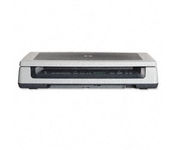
Scan documents, photos, film and other materials with a versatile scanner. Perform common tasks—scan, create PDFs and even make copies by sending a scan to the default printer—with one-touch buttons. Adjust resolution to fit scanning needs.
Manufacturer:Hewlett Packard Product MPN MPN | L1963A | Key Features Scanner Type | Flatbed Scanner | Interface | USB 2.0 | Optical Resolution | 4800 dpi | Max. Resolution (Hardware) | 4800 x 4800 dpi | Max. Resolution (Interpolated) | Up to 999,999 dpi | Platform | PC, Mac | Max. Color Depth | 48-bit Color | Technical Features Form Factor | Desktop | Input Type | Color | Special Features | OCR Capability | Control Panel Buttons | Scan • Copy • Cancel | Max. Gray Depth | 8-Bit (256 Gray Levels) | Media Supported Media Type | Plain Paper • Bulk Objects (Books, etc.) • Photos • 3D Objects • Negatives • Text | Media Loading Method | Manual Load • Optional Automatic Document Feeder | Max. Supported Media Size | 215.9 x 355.6 mm | System Requirements Platform | PC • Mac | Operating System | Apple MacOS • Microsoft Windows 2000 • Microsoft Windows 98 Second Edition • Microsoft Windows Millennium Edition • Microsoft Windows XP Home • Microsoft Windows XP Professional | Dimensions Width | 24.61 in. | Depth | 16.34 in. | Height | 5.12 in. | Weight | 19.6 lb. | Miscellaneous Included Accessories | USB Cable |
Tags:hp, scanjet, 8300, professional,
| IRISCARD PRO 4$128.00 to $300.00
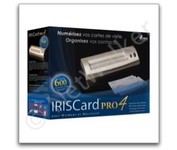
The IRISCard Pro 4 business card scanner zips through more than 600 cards per hour, instantly converting stacks of business cards into organized digital contacts.
Manufacturer:Iris Product MPN MPN | USOA393 | Key Features Scanner Type | Flatbed Scanner | Interface | USB 2.0 | Optical Resolution | 600 dpi | Max. Resolution (Hardware) | 600 x 600 dpi | Platform | PC, Mac | Technical Features Form Factor | Portable | Input Type | Color | Media Supported Media Type | Business Cards | Media Loading Method | Manual Load | System Requirements Platform | PC • Mac | Operating System | Microsoft Windows 2000 • Microsoft Windows XP • Microsoft Windows Vista • Apple MacOS X 10.3.9 | Dimensions Width | 6.1 in. | Depth | 1.9 in. | Height | 1.3 in. | Weight | 0.35 lb. | Miscellaneous Included Accessories | USB Cable | UPC | 765010103591 |
Tags:iriscard, pro, 4,
| Plustek SmartOffice PS282$329.00 to $571.00
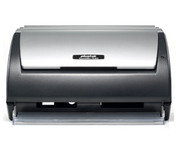
The Plustek SmartOffice PS282 is a compact, high-speed desktop scanning solution that effortlessly converts your paper into digital files. Despite its small size, the PS282 offers high-speed scanning at rates up to 25 Pages Per Minute in simplex or duplex mode.
Manufacturer:Plustek Product MPN MPN | 653-BBM31-C | Key Features Scanner Type | Flatbed Scanner | Interface | USB 2.0 | Optical Resolution | 600 dpi | Max. Resolution (Hardware) | 600 x 600 dpi | Platform | PC | Max. Color Depth | 48-bit Color | Technical Features Form Factor | Desktop | Scan Element Type | Contact Image Sensor (CIS) | Input Type | Color | Special Features | OCR Capability | Control Panel Buttons | Scan • E-mail • OCR • PDF | Automatic Document Feeder Capacity | 50 Pages | Max. Gray Depth | 16-Bit (64K Gray Levels) | Media Supported Media Type | Business Cards • Plain Paper | Media Loading Method | Automatic Document Feeder | Max. Supported Media Size | Legal (216 x 356 mm) | System Requirements Platform | PC | Operating System | Microsoft Windows XP Home • Microsoft Windows XP Professional • Microsoft Windows 2000 Pro | Dimensions Width | 10.36 in. | Depth | 5.02 in. | Height | 5.83 in. | Weight | 3.65 lb. | Miscellaneous UPC | 783064423571 | Family Line | Plustek SmartOffice |
Tags:plustek, smartoffice, ps282,
|
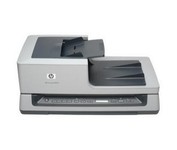
Get ready to duplex scan loads of material with our Scanjet N8420 Document Sheet-feed Scanner. You'll get output of up to 25 pages per minute or 50 images per minute.
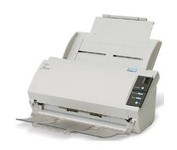
The fi-5110C image scanner with USB 2.0 interface capability expands the market for production scanning. These features will insure Fujitsu's customers' productivity well into the future.
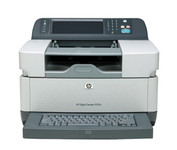
The 9250c Digital sender makes it easy to create electronic copies of your paper documents so you can distribute them easily, store them efficiently, and organize them right along with your other electronic files.
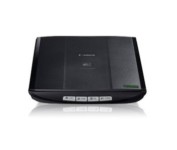
This is simple, high-performance scanning at its best. Four easy buttons automate the entire process, and the new Auto Scan mode makes it even easier: It actually detects the type of original you're scanning—a photo, business card, notebook or form—automatically adjusts settings for the optimal results, then scans and saves the image.Minimize