HP Scanjet N8460$1,179.00 to $2,089.00
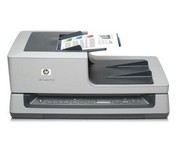
Quickly scan up to 35 ppm/70 ipm, using a 100-sheet automatic document feeder. Create a stand-alone document management solution or seamlessly integrate the scanner into existing systems. Capture images from books and more on the legal-size flatbed scanner.
Manufacturer:Hewlett Packard Product MPN MPN | L2690A#B1H | Key Features Scanner Type | Flatbed Scanner | Interface | USB 2.0 | Optical Resolution | 600 dpi | Max. Resolution (Hardware) | 600 x 600 dpi | Platform | PC | Max. Color Depth | 48-bit Color | Technical Features Form Factor | Desktop | Scan Element Type | CCD | Input Type | Color | Control Panel Buttons | Scan • Copy • Cancel | Automatic Document Feeder Capacity | 100 Pages | Max. Gray Depth | 8-Bit (256 Gray Levels) | Media Supported Media Type | Envelopes • Greeting Cards • Index Cards • Photo Paper • Plain Paper • Inkjet Paper • 3D Objects | Media Loading Method | Automatic Document Feeder | Max. Supported Media Size | 8.5 X 34 in | System Requirements Platform | PC | Operating System | Microsoft Windows 2000 • Microsoft Windows XP Home • Microsoft Windows XP Professional • Microsoft Windows XP Pro x64 • Microsoft Windows Vista • Microsoft Windows Vista x64 | Dimensions Width | 24.61 in. | Depth | 16.34 in. | Height | 10.43 in. | Weight | 33.07 lb. | Warranty Warranty | 3 Years | Miscellaneous Included Accessories | Power Cord • USB Cable • Automatic Document Feeder | UPC | 883585086399 |
Tags:hp, scanjet, n8460,
| Canon CanoScan LiDE100$55.00 to $86.00
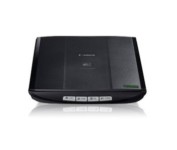
This is simple, high-performance scanning at its best. Four easy buttons automate the entire process, and the new Auto Scan mode makes it even easier: It actually detects the type of original you're scanning—a photo, business card, notebook or form—automatically adjusts settings for the optimal results, then scans and saves the image.Minimize
Manufacturer:Canon Product MPN MPN | 2923B002 | Key Features Scanner Type | Flatbed Scanner | Interface | USB 2.0 | Optical Resolution | 2400 dpi | Max. Resolution (Hardware) | 2400 x 4800 dpi | Max. Resolution (Interpolated) | 19200 x 19200 | Platform | PC, Mac | Max. Color Depth | 48-bit Color | Technical Features Form Factor | Desktop | Scan Element Type | Contact Image Sensor (CIS) | Light Source | RGB LED | Input Type | Color | Max. Gray Depth | 16-Bit (64K Gray Levels) | Media Supported Media Type | Business Cards • Plain Paper • Bulk Objects (Books, etc.) | Media Loading Method | Manual Load | Max. Supported Media Size | 8.5" x 11.7" | System Requirements Platform | PC • Mac | Operating System | Microsoft Windows 2000 • Microsoft Windows XP • Microsoft Windows Vista • Apple MacOS X 10.4 • Apple MacOS X 10.3.9 • Apple MacOS X 10.5 • Apple MacOS X 10.4.11 | Dimensions Width | 9.9 in. | Depth | 14.6 in. | Height | 1.6 in. | Weight | 3.5 lb. | Warranty Warranty | 1 Year | Miscellaneous Included Accessories | USB Cable | UPC | 4960999578064 | Family Line | Canon CanoScan |
Tags:canon, canoscan, lide100,
| Kodak i1420$3,099.00 to $4,289.00
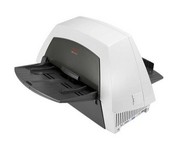
The KODAK i1420 Scanner brings speed and agility to your business with the ability to handle documents in virtually any condition or size at up to 60 pages per minute. For ease of use, duplex scanning captures both sides of documents in one pass, and enhanced Perfect Page image processing make your images crisp and clean.Minimize
Manufacturer:Kodak Product MPN MPN | 8272676 | Key Features Scanner Type | Pass-Through Scanner | Interface | USB 2.0 | Optical Resolution | 600 dpi | Max. Resolution (Hardware) | 600 x 600 dpi | Platform | PC | Max. Color Depth | 48-bit Color | Technical Features Form Factor | Desktop | Input Type | Color | Automatic Document Feeder Capacity | 150 Pages | Max. Gray Depth | 8-Bit (256 Gray Levels) | Media Supported Media Type | Plain Paper | Media Loading Method | Manual Load • Automatic Document Feeder | System Requirements Platform | PC | Operating System | Microsoft Windows XP • Microsoft Windows 2000 Pro • Microsoft Windows Vista | Dimensions Width | 21.5 in. | Depth | 11.8 in. | Height | 14.4 in. | Weight | 23 lb. | Miscellaneous Family Line | Kodak i |
Tags:kodak, i1420,
|
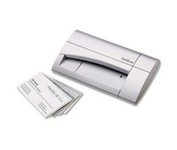
The CardScan Personal Business Card Scanner is a compact device is easy to take along on business trips. This handy, USB-powered card monochrome (black-and-white) scanner quickly gathers important contact information and then lets you store it, synchronizing with Microsoft Outlook, Palm handhelds, Pocket PCs and various smartphones.Minimize
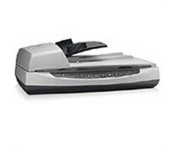
Perform fast document scanning at up to 25 ppm1—load up to 50 pages into the automatic document feeder for unattended scans. Make copies easily, using a dedicated one-touch Copy button that sends scans directly to your default printer.
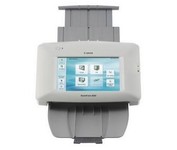
The ScanFront 220P is a LTR-size color duplex network scanner featuring a large 8.5 inch color touch screen, capable of fast, high quality scanning up to 26 pages per minute (35 ipm).
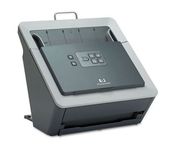
With the HP Scanjet N6010 Document Sheet-feed Scanner, HP further expands its business scanner portfolio. The HP Scanjet N6010 Document Sheet-feed Scanner, HP Scanjet 8300 Professional Image Scanner, HP Scanjet 8270 Flatbed Scanner, HP Scanjet 7650 Document Flatbed Scanner and HP Scanjet 5590 Digital Flatbed Scanner are ideal for general office scanning needs while the HP Scanjet 7800 Sheet-feed Document Scanner and HP Scanjet 8390 and HP 8350 Document Flatbed Scanners are ideal for workgroup document management scanning needs. HP business scanners provide reliable, high-quality, professional resultsMinimize