IRISpen Executive 6$89.00 to $200.00
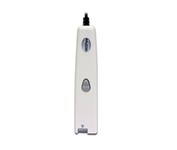
This scanning pen works just like a highlighter: simply slide it over printed information from newspapers, magazines, faxes, letters, etc... What you get is real and editable text, right at your cursor.
Manufacturer:Iris Product MPN MPN | HIPEX4TPAGE600 | Key Features Scanner Type | Fingerprint Reader | Interface | USB 1.1 | Platform | PC, Mac | Technical Features Form Factor | Portable | Input Type | Monochrome | Media Supported Media Type | Plain Paper • Bulk Objects (Books, etc.) | System Requirements Platform | PC • Mac | Operating System | Microsoft Windows 2000 • Microsoft Windows XP • Microsoft Windows Vista • Apple MacOS X 10.3 | Miscellaneous UPC | 00765010103270 |
Tags:irispen, executive, 6,
| Canon DR4010C$1,968.00 to $3,200.00
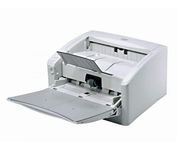
The DR-4010C is a color document scanner featuring state-of-the-art scanning technology that delivers exceptional image quality and speed.
Manufacturer:Canon Product MPN MPN | 1321B002AB | Key Features Interface | USB 2.0 • Ultra SCSI | Optical Resolution | 600 dpi | Max. Resolution (Hardware) | 600 x 600 dpi | Platform | PC | Max. Color Depth | 24-bit (16.7M Colors) | Technical Features Form Factor | Desktop | Light Source | RGB LED | Input Type | Color | Automatic Document Feeder Capacity | 100 Pages | Max. Gray Depth | 8-Bit (256 Gray Levels) | Media Supported Media Type | Plain Paper | Media Loading Method | Manual Load | Max. Supported Media Size | Legal (216 x 356 mm) | System Requirements Platform | PC | Dimensions Width | 12.52 in. | Depth | 10.94 in. | Height | 7.3 in. | Weight | 13.89 lb. | Miscellaneous Release Date | January, 2007 | UPC | 0013803065664 |
Tags:canon, dr4010c,
| Canon DR2580C$459.00 to $1,095.00
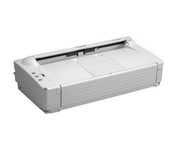
The DR-2580C fits neatly on your desk, shelf or countertop so you'll hardly notice it at all until you need fast, sharp scanning. Ideal for busy enterprises where instant document capture is essential in a small space.
Manufacturer:Canon Product MPN MPN | 0080B002AA | Key Features Scanner Type | Pass-Through Scanner | Interface | USB 2.0 | Optical Resolution | 600 dpi | Max. Resolution (Hardware) | 600 x 600 dpi | Platform | PC | Max. Color Depth | 24-bit (16.7M Colors) | Technical Features Form Factor | Desktop | Scan Element Type | Contact Image Sensor (CIS) | Light Source | RGB LED | Input Type | Color | Special Features | OCR Capability | Control Panel Buttons | E-mail | Automatic Document Feeder Capacity | 100 Pages | Max. Gray Depth | 8-Bit (256 Gray Levels) | Media Supported Media Type | Business Cards • Plain Paper | Media Loading Method | Manual Load • Automatic Document Feeder | Max. Supported Media Size | Legal (216 x 356 mm) | System Requirements Platform | PC | Operating System | Microsoft Windows 2000 • Microsoft Windows 98 • Microsoft Windows Millennium Edition • Microsoft Windows XP | Dimensions Width | 12 in. | Depth | 6.6 in. | Height | 3.2 in. | Weight | 4.2 lb. | Miscellaneous Release Date | March, 2005 | UPC | 013803047509 |
Tags:canon, dr2580c,
|
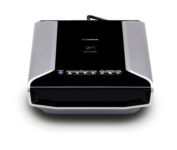
Sleek and fast, this powerful scanner will impress you the very first time you push power. With high-luminance white LED lamps — it's ready to scan immediately, with no warm-up time needed. You'll quickly produce spectacular results, with max. Color dpi resolution of 4800 x 9600. Seven easy buttons automate the scanning process, so it's simple to scan copy and create e-mails and multi-page PDF. Built-in FARE 3.0 retouching technology helps to enhance your final images. And to save time, you can batch-scan up to twelve 35mm frames or up to four slides — either positives or negatives.Minimize
The DR-4010C is a color document scanner featuring state-of-the-art scanning technology that delivers exceptional image quality and speed.
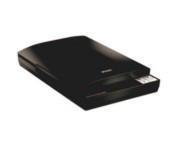
This versatile performer even includes a high-rise lid for scanning books and other 3D objects. And, it offers easy setup and one-touch scanning. So, whether you choose to archive important documents or copy the soccer team photo, you can be up and running in no time.
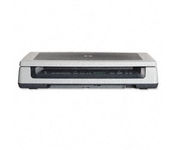
Scan documents, photos, film and other materials with a versatile scanner. Perform common tasks—scan, create PDFs and even make copies by sending a scan to the default printer—with one-touch buttons. Adjust resolution to fit scanning needs.