Visioneer OneTouch 9520$60.00 to $293.00
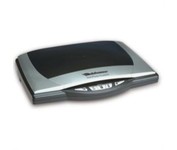
Visioneer OneTouch 9520 Photo scanner with a built-in 35mm transparency adapter scans at 48 bit color at 4800 x 9600 dpi resolution and a Hi-Speed USB 2.0 interface. Photo Restortion: restore damaged photos, remove dust and scratches, color enhance, resize, and crop your photos. Create your own DVD photo slide show. To better manage your documents in the digital world, the Visioneer OneTouch 9520 Photo scanner features the award winning ScanSoft PaperPort application to capture text in your documents, backup your important documents and files. Bundled software: Corel PaintShop Pro, ScanSoft PaperPort, and ArcSoft software suite.Minimize
Manufacturer:Visioneer Product MPN MPN | 95201D-WU | Key Features Scanner Type | Flatbed Scanner | Interface | USB 2.0 | Optical Resolution | 4800 dpi | Max. Resolution (Hardware) | 4800 x 9600 dpi | Platform | PC | Max. Color Depth | 48-bit Color | Technical Features Form Factor | Desktop | Light Source | Cold Cathode Fluorescent Lamp | Input Type | Color | Special Features | Built-in Tranparency Unit | Film Scanning Capabilities | 35mm Slides | Max. Gray Depth | 16-Bit (64K Gray Levels) | Media Supported Media Type | Plain Paper • Photos • 35 mm Slides • Film • Negatives • Slides | Media Loading Method | Manual Load | Max. Supported Media Size | 8.5" x 11.7" | System Requirements Platform | PC | Operating System | Microsoft Windows 2000 • Microsoft Windows XP | Dimensions Width | 17 in. | Depth | 11.9 in. | Height | 2.6 in. | Weight | 5.8 lb. | Miscellaneous Release Date | October, 2006 | UPC | 785414109777 | Family Line | Visioneer OneTouch |
Tags:visioneer, onetouch, 9520,
| Canon CanoScan LiDE100$55.00 to $86.00
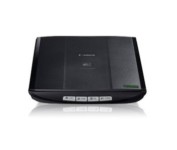
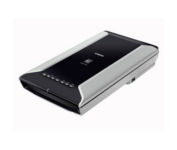
This is simple, high-performance scanning at its best. Four easy buttons automate the entire process, and the new Auto Scan mode makes it even easier: It actually detects the type of original you're scanning—a photo, business card, notebook or form—automatically adjusts settings for the optimal results, then scans and saves the image.Minimize
Manufacturer:Canon Product MPN MPN | 2923B002 | Key Features Scanner Type | Flatbed Scanner | Interface | USB 2.0 | Optical Resolution | 2400 dpi | Max. Resolution (Hardware) | 2400 x 4800 dpi | Max. Resolution (Interpolated) | 19200 x 19200 | Platform | PC, Mac | Max. Color Depth | 48-bit Color | Technical Features Form Factor | Desktop | Scan Element Type | Contact Image Sensor (CIS) | Light Source | RGB LED | Input Type | Color | Max. Gray Depth | 16-Bit (64K Gray Levels) | Media Supported Media Type | Business Cards • Plain Paper • Bulk Objects (Books, etc.) | Media Loading Method | Manual Load | Max. Supported Media Size | 8.5" x 11.7" | System Requirements Platform | PC • Mac | Operating System | Microsoft Windows 2000 • Microsoft Windows XP • Microsoft Windows Vista • Apple MacOS X 10.4 • Apple MacOS X 10.3.9 • Apple MacOS X 10.5 • Apple MacOS X 10.4.11 | Dimensions Width | 9.9 in. | Depth | 14.6 in. | Height | 1.6 in. | Weight | 3.5 lb. | Warranty Warranty | 1 Year | Miscellaneous Included Accessories | USB Cable | UPC | 4960999578064 | Family Line | Canon CanoScan |
Tags:canon, canoscan, lide100,
| CardScan Personal V8$135.00 to $260.00
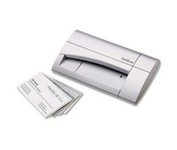
The CardScan Personal Business Card Scanner is a compact device is easy to take along on business trips. This handy, USB-powered card monochrome (black-and-white) scanner quickly gathers important contact information and then lets you store it, synchronizing with Microsoft Outlook, Palm handhelds, Pocket PCs and various smartphones.Minimize
Manufacturer:CardScan Product MPN MPN | CSPA08480ENG | Key Features Platform | PC | Technical Features Form Factor | Portable | Input Type | Monochrome | System Requirements Platform | PC | Operating System | Microsoft Windows 2000 • Microsoft Windows 98 • Microsoft Windows Millennium Edition • Microsoft Windows XP | Dimensions Width | 4.75 in. | Depth | 3.25 in. | Height | 1.5 in. | Weight | 0.475 lb. | Warranty Warranty | 2 Years | Miscellaneous Release Date | September, 2006 | UPC | 792980084803 |
Tags:cardscan, personal, v8,
|