Kodak i1420$3,099.00 to $4,289.00
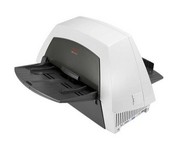
The KODAK i1420 Scanner brings speed and agility to your business with the ability to handle documents in virtually any condition or size at up to 60 pages per minute. For ease of use, duplex scanning captures both sides of documents in one pass, and enhanced Perfect Page image processing make your images crisp and clean.Minimize
Manufacturer:Kodak Product MPN MPN | 8272676 | Key Features Scanner Type | Pass-Through Scanner | Interface | USB 2.0 | Optical Resolution | 600 dpi | Max. Resolution (Hardware) | 600 x 600 dpi | Platform | PC | Max. Color Depth | 48-bit Color | Technical Features Form Factor | Desktop | Input Type | Color | Automatic Document Feeder Capacity | 150 Pages | Max. Gray Depth | 8-Bit (256 Gray Levels) | Media Supported Media Type | Plain Paper | Media Loading Method | Manual Load • Automatic Document Feeder | System Requirements Platform | PC | Operating System | Microsoft Windows XP • Microsoft Windows 2000 Pro • Microsoft Windows Vista | Dimensions Width | 21.5 in. | Depth | 11.8 in. | Height | 14.4 in. | Weight | 23 lb. | Miscellaneous Family Line | Kodak i |
Tags:kodak, i1420,
| IRISCARD PRO 4$128.00 to $300.00
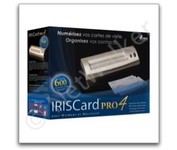
The IRISCard Pro 4 business card scanner zips through more than 600 cards per hour, instantly converting stacks of business cards into organized digital contacts.
Manufacturer:Iris Product MPN MPN | USOA393 | Key Features Scanner Type | Flatbed Scanner | Interface | USB 2.0 | Optical Resolution | 600 dpi | Max. Resolution (Hardware) | 600 x 600 dpi | Platform | PC, Mac | Technical Features Form Factor | Portable | Input Type | Color | Media Supported Media Type | Business Cards | Media Loading Method | Manual Load | System Requirements Platform | PC • Mac | Operating System | Microsoft Windows 2000 • Microsoft Windows XP • Microsoft Windows Vista • Apple MacOS X 10.3.9 | Dimensions Width | 6.1 in. | Depth | 1.9 in. | Height | 1.3 in. | Weight | 0.35 lb. | Miscellaneous Included Accessories | USB Cable | UPC | 765010103591 |
Tags:iriscard, pro, 4,
| Fujitsu fi5110C$646.00 to $1,150.00
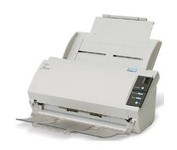
The fi-5110C image scanner with USB 2.0 interface capability expands the market for production scanning. These features will insure Fujitsu's customers' productivity well into the future.
Manufacturer:Fujitsu Product MPN MPN | PA03360-B055-R | Key Features Interface | USB 2.0 | Optical Resolution | 600 dpi | Max. Resolution (Hardware) | 600 x 600 dpi | Platform | PC | Max. Color Depth | 24-bit (16.7M Colors) | Technical Features Form Factor | Desktop | Scan Element Type | CCD | Light Source | Cold Cathode Fluorescent Lamp | Input Type | Color | Automatic Document Feeder Capacity | 50 Pages | Max. Gray Depth | 4-Bit (16 Gray Levels) | Media Supported Media Type | Plain Paper | Media Loading Method | Automatic Document Feeder | Max. Supported Media Size | Legal (216 x 356 mm) | System Requirements Platform | PC | Operating System | Microsoft Windows 2000 • Microsoft Windows 98 • Microsoft Windows Millennium Edition • Microsoft Windows NT • Microsoft Windows XP | Dimensions Width | 11.6 in. | Depth | 6.5 in. | Height | 5.1 in. | Weight | 5.95 lb. | Miscellaneous Release Date | May, 2005 | UPC | 097564306075 | Family Line | Fujitsu fi |
Tags:fujitsu, fi5110c,
|
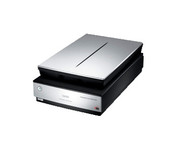
Enjoy unparalleled performance when scanning negatives, slides or prints, with the Epson Perfection™ V750-M Pro, the first flatbed scanner with groundbreaking 6400 dpi resolution and unique fluid mount capabilities for photo studio applications.
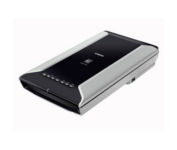
This is high-performance scanning at its best. The high-luminance white LED lamps use less power and enable scanning immediately after you press the power button. Seven EZ Buttons automate the scanning process—so it's simple to scan, copy and create emails and multi-page PDFs. To make it even easier, the Auto Scan Mode detects your type of original, then scans and saves it with the optimal settings. How fast? A letter-sized color scan takes only about 11 seconds2.Minimize
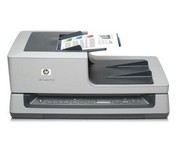
Quickly scan up to 35 ppm/70 ipm, using a 100-sheet automatic document feeder. Create a stand-alone document management solution or seamlessly integrate the scanner into existing systems. Capture images from books and more on the legal-size flatbed scanner.
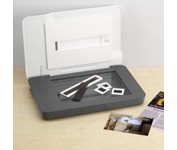
The versatile HP Scanjet G3110 Photo Scanner makes it easy to preserve, share and archive precious photos and important documents. With one-touch buttons and a quick-and-easy, task-based interface, the HP Scanjet G3110 Photo Scanner is ideal for customers who want to create high quality scans of photos, slides, negatives, documents and 3-D objects. The scanner boasts 4800 x 9600 dots per inch (dpi) and 48-bit color resolution scanning for optimum image quality. HP’s scanning technology allows users to enhance images by restoring faded colors, correcting flaws caused by dust particles and scratches, and removing red-eye from scanned images. The HP Scanjet G3110 also makes it easy to archive, edit, share and print scans thanks to HP Document Manager and HP Photosmart Essential software.Minimize