Kodak ScanMate i1120$371.00 to $603.00
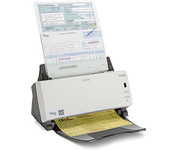
The KODAK SCANMATE i1120 Scanner transforms your paper documents into high-quality digital images that can be managed, sent, filed, and found—easily. One push of a button puts you in control of your documents and organizes your information.
Manufacturer:Kodak Product MPN MPN | IHM3B | Key Features Scanner Type | Flatbed Scanner | Interface | USB 2.0 | Optical Resolution | 600 dpi | Max. Resolution (Hardware) | 600 x 600 dpi | Max. Resolution (Interpolated) | 1200 x 1200 dpi | Platform | PC | Max. Color Depth | 24-bit (16.7M Colors) | Technical Features Form Factor | Desktop | Scan Element Type | CCD | Light Source | Cold Cathode Fluorescent Lamp | Input Type | Color | Automatic Document Feeder Capacity | 50 Pages | Max. Gray Depth | 8-Bit (256 Gray Levels) | Media Supported Media Type | Plain Paper | Media Loading Method | Automatic Document Feeder | Max. Supported Media Size | 8.5 X 34 in | System Requirements Platform | PC | Operating System | Microsoft Windows 2000 • Microsoft Windows XP • Microsoft Windows Vista | Dimensions Width | 11.8 in. | Depth | 6.2 in. | Height | 5.8 in. | Weight | 5.9 lb. | Warranty Warranty | 1 Year |
Tags:kodak, scanmate, i1120,
| HP Scanjet 8300 Professional$288.00 to $728.00
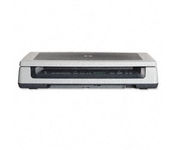
Scan documents, photos, film and other materials with a versatile scanner. Perform common tasks—scan, create PDFs and even make copies by sending a scan to the default printer—with one-touch buttons. Adjust resolution to fit scanning needs.
Manufacturer:Hewlett Packard Product MPN MPN | L1963A | Key Features Scanner Type | Flatbed Scanner | Interface | USB 2.0 | Optical Resolution | 4800 dpi | Max. Resolution (Hardware) | 4800 x 4800 dpi | Max. Resolution (Interpolated) | Up to 999,999 dpi | Platform | PC, Mac | Max. Color Depth | 48-bit Color | Technical Features Form Factor | Desktop | Input Type | Color | Special Features | OCR Capability | Control Panel Buttons | Scan • Copy • Cancel | Max. Gray Depth | 8-Bit (256 Gray Levels) | Media Supported Media Type | Plain Paper • Bulk Objects (Books, etc.) • Photos • 3D Objects • Negatives • Text | Media Loading Method | Manual Load • Optional Automatic Document Feeder | Max. Supported Media Size | 215.9 x 355.6 mm | System Requirements Platform | PC • Mac | Operating System | Apple MacOS • Microsoft Windows 2000 • Microsoft Windows 98 Second Edition • Microsoft Windows Millennium Edition • Microsoft Windows XP Home • Microsoft Windows XP Professional | Dimensions Width | 24.61 in. | Depth | 16.34 in. | Height | 5.12 in. | Weight | 19.6 lb. | Miscellaneous Included Accessories | USB Cable |
Tags:hp, scanjet, 8300, professional,
| Canon DR2010C$376.00 to $555.00
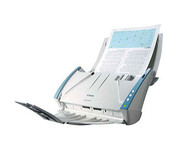
Introduce the DR-2010C into your business and you’ll find a whole host of powerful functionality delivering high productivity scanning for groups of users or whole departments.
Manufacturer:Canon Product MPN MPN | DR-2010C-AU | Key Features Scanner Type | Flatbed Scanner | Interface | USB 2.0 | Optical Resolution | 600 dpi | Max. Resolution (Hardware) | 600 x 600 dpi | Platform | PC | Max. Color Depth | 24-bit (16.7M Colors) | Technical Features Form Factor | Desktop | Scan Element Type | Contact Image Sensor (CIS) | Light Source | RGB LED | Input Type | Color | Focus Control | Auto Focus | Control Panel Buttons | OCR • PDF • Print | Automatic Document Feeder Capacity | 50 Pages | Max. Gray Depth | 8-Bit (256 Gray Levels) | Media Supported Media Type | Plain Paper | Media Loading Method | Manual Load • Automatic Document Feeder | Max. Supported Media Size | Legal (216 x 356 mm) | System Requirements Platform | PC | Operating System | Microsoft Windows 2000 • Microsoft Windows XP Home • Microsoft Windows XP Professional • Microsoft Windows Vista | Dimensions Width | 11.73 in. | Depth | 6.3 in. | Height | 6.3 in. | Weight | 5.29 lb. | Miscellaneous Release Date | December, 2007 | UPC | 4528472102078 |
Tags:canon, dr2010c,
|
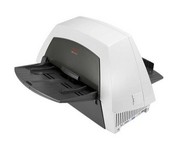
The KODAK i1420 Scanner brings speed and agility to your business with the ability to handle documents in virtually any condition or size at up to 60 pages per minute. For ease of use, duplex scanning captures both sides of documents in one pass, and enhanced Perfect Page image processing make your images crisp and clean.Minimize
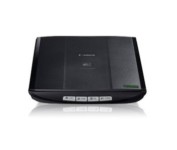
This is simple, high-performance scanning at its best. Four easy buttons automate the entire process, and the new Auto Scan mode makes it even easier: It actually detects the type of original you're scanning—a photo, business card, notebook or form—automatically adjusts settings for the optimal results, then scans and saves the image.Minimize
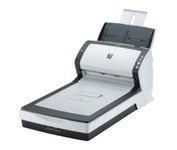
The fi-6240 is the first business scanner in its class to inherit highly regarded intelligent "fi-Series" automatic features from its higher end siblings.
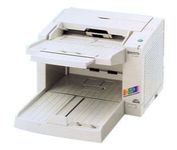
The KV-S2026C WorkGroup color scanner and the KV-S2046C Departmental color scanner provide you superior durability with advanced image processing, all at a compact size and price. Both of these scanners are revolutionary in design, with superb paper handling and a small footprint, making them an ideal desktop solution for file management and critical image processing applications.Minimize