Kodak i1310$916.00 to $1,673.00
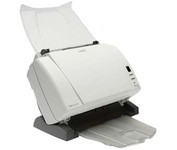
The Kodak i1310 Sheetfed Scanner provides the solution to all of your departmental scanning needs. With the i1310, you can auto-feed virtually any document, from the size of a driver's license up to 34" long, at speeds of up to 60 pages per minute.
Manufacturer:Kodak Product MPN MPN | 1220169 | Key Features Scanner Type | Pass-Through Scanner | Interface | USB 2.0 | Optical Resolution | 600 dpi | Max. Resolution (Hardware) | 600 x 600 dpi | Platform | PC | Max. Color Depth | 48-bit Color | Technical Features Form Factor | Desktop | Scan Element Type | CCD | Light Source | Cold Cathode Fluorescent Lamp | Input Type | Color | Control Panel Buttons | Scan • E-mail • PDF | Automatic Document Feeder Capacity | 50 Pages | Max. Gray Depth | 8-Bit (256 Gray Levels) | Media Supported Media Type | Plain Paper | Media Loading Method | Automatic Document Feeder | Max. Supported Media Size | 8.5 X 34 in | System Requirements Platform | PC | Operating System | Microsoft Windows 2000 • Microsoft Windows XP | Dimensions Width | 13 in. | Depth | 6.4 in. | Height | 9.4 in. | Weight | 11.5 lb. | Miscellaneous UPC | 00041771220167 | Family Line | Kodak i |
Tags:kodak, i1310,
| Plustek MobileOffice D28$160.00 to $467.00
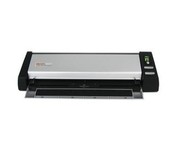
The Plustek MobileOffice D28 Corporate, a portable duplex scanner with hyper fast scanning speed, has perfect design for small business or work group usage.
Manufacturer:Plustek Product MPN MPN | 74L-BBM31-C | Key Features Scanner Type | Flatbed Scanner | Interface | USB 2.0 | Optical Resolution | 600 dpi | Max. Resolution (Hardware) | 600 x 600 dpi | Platform | PC | Max. Color Depth | 48-bit Color | Technical Features Form Factor | Desktop | Scan Element Type | Contact Image Sensor (CIS) | Input Type | Color | Max. Gray Depth | 16-Bit (64K Gray Levels) | Media Supported Media Type | Business Cards • Plain Paper | Media Loading Method | Manual Load | System Requirements Platform | PC | Operating System | Microsoft Windows 2000 • Microsoft Windows XP | Dimensions Width | 11.9 in. | Depth | 3.7 in. | Height | 2.4 in. | Weight | 2.11 lb. | Miscellaneous UPC | 783064283618 |
Tags:plustek, mobileoffice, d28,
| Visioneer Patriot 430$379.00 to $716.00
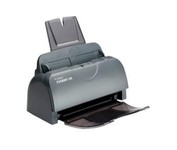
The GSA compliant Patriot 430, color sheet-fed document scanner, scan at 15 ppm and 30 ipm duplex through hi-speed USB 2..0 interface and TWAIN driver. It also includes a 50-page ADF and can scan documents into searchable PDF files with OneTouch ease-of-use.
Manufacturer:Visioneer Product MPN MPN | P4301D-WU | Key Features Scanner Type | Pass-Through Scanner | Interface | USB 2.0 | Optical Resolution | 1200 dpi | Max. Resolution (Hardware) | 1200 x 600 dpi | Platform | PC | Max. Color Depth | 48-bit Color | Technical Features Form Factor | Desktop | Light Source | Cold Cathode Fluorescent Lamp | Input Type | Color | Special Features | OCR Capability | Control Panel Buttons | E-mail • Fax • PDF | Automatic Document Feeder Capacity | 50 Pages | Max. Gray Depth | 16-Bit (64K Gray Levels) | Media Media Loading Method | Automatic Document Feeder | Max. Supported Media Size | Legal (216 x 356 mm) | System Requirements Platform | PC | Operating System | Microsoft Windows 2000 • Microsoft Windows XP | Dimensions Width | 13 in. | Depth | 6.5 in. | Height | 5.9 in. | Weight | 6.4 lb. | Miscellaneous Release Date | August, 2006 | UPC | 785414109784 |
Tags:visioneer, patriot, 430,
|
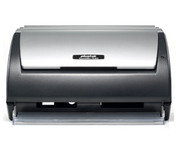
The Plustek SmartOffice PS282 is a compact, high-speed desktop scanning solution that effortlessly converts your paper into digital files. Despite its small size, the PS282 offers high-speed scanning at rates up to 25 Pages Per Minute in simplex or duplex mode.
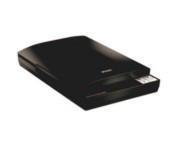
This versatile performer even includes a high-rise lid for scanning books and other 3D objects. And, it offers easy setup and one-touch scanning. So, whether you choose to archive important documents or copy the soccer team photo, you can be up and running in no time.
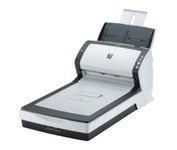
The fi-6240 is the first business scanner in its class to inherit highly regarded intelligent "fi-Series" automatic features from its higher end siblings.
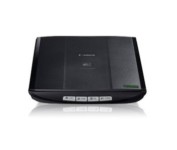
This is simple, high-performance scanning at its best. Four easy buttons automate the entire process, and the new Auto Scan mode makes it even easier: It actually detects the type of original you're scanning—a photo, business card, notebook or form—automatically adjusts settings for the optimal results, then scans and saves the image.Minimize