Panasonic KVS3065CL$3,653.00 to $6,393.00
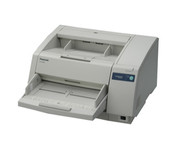
The KV-S3065CL high-speed scanner is the reliable choice for low volume color document management solutions. With its capability to detect color and black & white pages this attribute reduces scan-to-file size while promoting a more efficient scanning process. The switch able reference accommodates software and driver specific requirements by supporting both black and white references, this then also ensures the highest quality of accuracy when cropping and/ or de-skewing. Hybrid Contact Image Sensor Technology incorporates a 3-line CCD image sensor and dual fluorescent white lamps, resulting in the best technologies.Minimize
Manufacturer:Panasonic Product MPN MPN | KV-S3065CW | Key Features Scanner Type | Pass-Through Scanner | Interface | USB 2.0 | Optical Resolution | 600 dpi | Max. Resolution (Hardware) | 600 x 600 dpi | Platform | PC, Mac | Max. Color Depth | 24-bit (16.7M Colors) | Technical Features Form Factor | Desktop | Scan Element Type | CCD | Light Source | Cold Cathode Fluorescent Lamp | Input Type | Color | Automatic Document Feeder Capacity | 300 Pages | Max. Gray Depth | 8-Bit (256 Gray Levels) | Media Supported Media Type | Plain Paper | Media Loading Method | Automatic Document Feeder | System Requirements Platform | PC • Mac | Dimensions Width | 19.5 in. | Depth | 22.7 in. | Height | 11.4 in. | Weight | 53 lb. | Miscellaneous UPC | 092281842219 | Family Line | Panasonic KV |
Tags:panasonic, kvs3065cl,
| Fujitsu fi6130$839.00 to $1,200.00
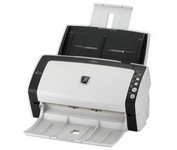
With duplex scanning performance of up to 80 images per minute in monochrome and grayscale, the fi-6130 also delivers uncompromised high-resolution performance of up to 60 images per minute in color at an astounding 300 dpi.
Manufacturer:Fujitsu Product MPN MPN | PA03540-B965 | Key Features Scanner Type | Flatbed Scanner | Interface | USB 2.0 | Optical Resolution | 600 dpi | Max. Resolution (Hardware) | 600 x 600 dpi | Platform | PC | Max. Color Depth | 24-bit (16.7M Colors) | Technical Features Form Factor | Desktop | Scan Element Type | CCD | Light Source | Cold Cathode Fluorescent Lamp | Input Type | Color | Automatic Document Feeder Capacity | 50 Pages | Max. Gray Depth | 8-Bit (256 Gray Levels) | Media Supported Media Type | Plain Paper | Media Loading Method | Automatic Document Feeder | Max. Supported Media Size | Legal (216 x 356 mm) | System Requirements Platform | PC | Operating System | Microsoft Windows XP • Microsoft Windows Server 2003 • Microsoft Windows 2000 Pro • Microsoft Windows Vista | Dimensions Width | 11.8 in. | Depth | 6.4 in. | Height | 6.2 in. | Weight | 9.24 lb. | Warranty Warranty | 1 Year | Miscellaneous Included Accessories | USB Cable | Release Date | May, 2008 | UPC | 4939761302060 | Family Line | Fujitsu fi |
Tags:fujitsu, fi6130,
| Epson Perfection v600$212.00 to $378.00
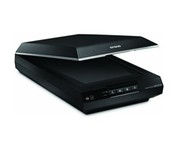
Create extraordinary enlargements from film Remove the appearance of dust and scratches from fi lm Remove the appearance of tears and creases from photos Restore faded color photos with one touch Scan slides, negatives and medium-format panoramic fi lm
Manufacturer:Epson Product MPN MPN | B11B198011 | Miscellaneous UPC | 10343873568 | Family Line | Epson Perfection |
Tags:epson, perfection, v600,
|
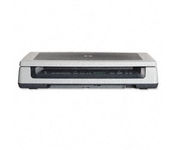
Scan documents, photos, film and other materials with a versatile scanner. Perform common tasks—scan, create PDFs and even make copies by sending a scan to the default printer—with one-touch buttons. Adjust resolution to fit scanning needs.
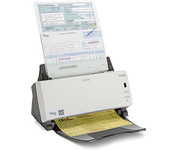
The KODAK SCANMATE i1120 Scanner transforms your paper documents into high-quality digital images that can be managed, sent, filed, and found—easily. One push of a button puts you in control of your documents and organizes your information.
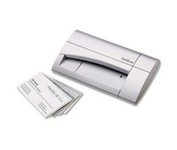
The CardScan Personal Business Card Scanner is a compact device is easy to take along on business trips. This handy, USB-powered card monochrome (black-and-white) scanner quickly gathers important contact information and then lets you store it, synchronizing with Microsoft Outlook, Palm handhelds, Pocket PCs and various smartphones.Minimize
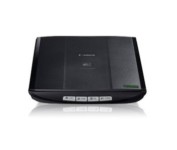
This is simple, high-performance scanning at its best. Four easy buttons automate the entire process, and the new Auto Scan mode makes it even easier: It actually detects the type of original you're scanning—a photo, business card, notebook or form—automatically adjusts settings for the optimal results, then scans and saves the image.Minimize