Panasonic KVS3065CL$3,653.00 to $6,393.00
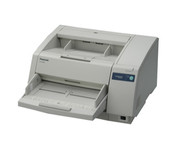
The KV-S3065CL high-speed scanner is the reliable choice for low volume color document management solutions. With its capability to detect color and black & white pages this attribute reduces scan-to-file size while promoting a more efficient scanning process. The switch able reference accommodates software and driver specific requirements by supporting both black and white references, this then also ensures the highest quality of accuracy when cropping and/ or de-skewing. Hybrid Contact Image Sensor Technology incorporates a 3-line CCD image sensor and dual fluorescent white lamps, resulting in the best technologies.Minimize
Manufacturer:Panasonic Product MPN MPN | KV-S3065CW | Key Features Scanner Type | Pass-Through Scanner | Interface | USB 2.0 | Optical Resolution | 600 dpi | Max. Resolution (Hardware) | 600 x 600 dpi | Platform | PC, Mac | Max. Color Depth | 24-bit (16.7M Colors) | Technical Features Form Factor | Desktop | Scan Element Type | CCD | Light Source | Cold Cathode Fluorescent Lamp | Input Type | Color | Automatic Document Feeder Capacity | 300 Pages | Max. Gray Depth | 8-Bit (256 Gray Levels) | Media Supported Media Type | Plain Paper | Media Loading Method | Automatic Document Feeder | System Requirements Platform | PC • Mac | Dimensions Width | 19.5 in. | Depth | 22.7 in. | Height | 11.4 in. | Weight | 53 lb. | Miscellaneous UPC | 092281842219 | Family Line | Panasonic KV |
Tags:panasonic, kvs3065cl,
| Plustek SmartOffice PS282$329.00 to $571.00
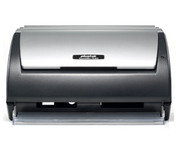
The Plustek SmartOffice PS282 is a compact, high-speed desktop scanning solution that effortlessly converts your paper into digital files. Despite its small size, the PS282 offers high-speed scanning at rates up to 25 Pages Per Minute in simplex or duplex mode.
Manufacturer:Plustek Product MPN MPN | 653-BBM31-C | Key Features Scanner Type | Flatbed Scanner | Interface | USB 2.0 | Optical Resolution | 600 dpi | Max. Resolution (Hardware) | 600 x 600 dpi | Platform | PC | Max. Color Depth | 48-bit Color | Technical Features Form Factor | Desktop | Scan Element Type | Contact Image Sensor (CIS) | Input Type | Color | Special Features | OCR Capability | Control Panel Buttons | Scan • E-mail • OCR • PDF | Automatic Document Feeder Capacity | 50 Pages | Max. Gray Depth | 16-Bit (64K Gray Levels) | Media Supported Media Type | Business Cards • Plain Paper | Media Loading Method | Automatic Document Feeder | Max. Supported Media Size | Legal (216 x 356 mm) | System Requirements Platform | PC | Operating System | Microsoft Windows XP Home • Microsoft Windows XP Professional • Microsoft Windows 2000 Pro | Dimensions Width | 10.36 in. | Depth | 5.02 in. | Height | 5.83 in. | Weight | 3.65 lb. | Miscellaneous UPC | 783064423571 | Family Line | Plustek SmartOffice |
Tags:plustek, smartoffice, ps282,
| Canon CanoScan 5600F$110.00 to $216.00
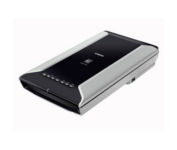
This is high-performance scanning at its best. The high-luminance white LED lamps use less power and enable scanning immediately after you press the power button. Seven EZ Buttons automate the scanning process—so it's simple to scan, copy and create emails and multi-page PDFs. To make it even easier, the Auto Scan Mode detects your type of original, then scans and saves it with the optimal settings. How fast? A letter-sized color scan takes only about 11 seconds2.Minimize
Manufacturer:Canon Product MPN MPN | 2925B002 | Key Features Scanner Type | Flatbed Scanner | Interface | USB 2.0 | Optical Resolution | 4800 dpi | Max. Resolution (Hardware) | 4800 x 9600 dpi | Max. Resolution (Interpolated) | 19200 x 19200 | Platform | PC, Mac | Max. Color Depth | 48-bit Color | Technical Features Form Factor | Desktop | Scan Element Type | CCD | Light Source | White and Infrared LED array | Input Type | Color | Max. Gray Depth | 16-Bit (64K Gray Levels) | Media Max. Supported Media Size | 8.5" x 11.7" | System Requirements Platform | PC • Mac | Operating System | Microsoft Windows 2000 • Microsoft Windows XP • Microsoft Windows Vista • Apple MacOS X 10.3 • Apple MacOS X 10.3.6 • Apple MacOS X 10.4 • Apple MacOS X 10.2.8 • Apple MacOS X 10.5 • Apple MacOS X 10.4.11 | Dimensions Width | 10.7 in. | Depth | 19.4 in. | Height | 3.8 in. | Weight | 9.5 lb. | Warranty Warranty | 1 Year | Miscellaneous Included Accessories | Power Cord • USB Cable | Family Line | Canon CanoScan |
Tags:canon, canoscan, 5600f,
|
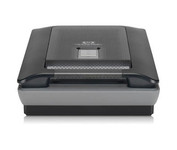
Scan photos and documents with outstanding color and clarity with the HP Scanjet G4050. Designed to quickly and easily preserve precious memories, the G4050 scanner lets you scan slides, negatives, and photos with superior color accuracy. Capture realistic color with high definition photo and film scanning through HP's exclusive 96-bit scanning. Enjoy high-definition scans with 4,800 x 9,600 dpi resolution and preserve crisp text in scanned documents. Minimize
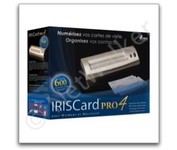
The IRISCard Pro 4 business card scanner zips through more than 600 cards per hour, instantly converting stacks of business cards into organized digital contacts.
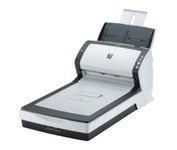
The fi-6240 is the first business scanner in its class to inherit highly regarded intelligent "fi-Series" automatic features from its higher end siblings.
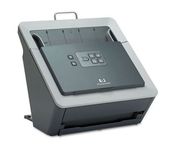
With the HP Scanjet N6010 Document Sheet-feed Scanner, HP further expands its business scanner portfolio. The HP Scanjet N6010 Document Sheet-feed Scanner, HP Scanjet 8300 Professional Image Scanner, HP Scanjet 8270 Flatbed Scanner, HP Scanjet 7650 Document Flatbed Scanner and HP Scanjet 5590 Digital Flatbed Scanner are ideal for general office scanning needs while the HP Scanjet 7800 Sheet-feed Document Scanner and HP Scanjet 8390 and HP 8350 Document Flatbed Scanners are ideal for workgroup document management scanning needs. HP business scanners provide reliable, high-quality, professional resultsMinimize