IRISCARD PRO 4$128.00 to $300.00
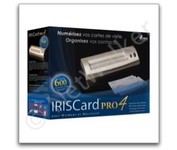
The IRISCard Pro 4 business card scanner zips through more than 600 cards per hour, instantly converting stacks of business cards into organized digital contacts.
Manufacturer:Iris Product MPN MPN | USOA393 | Key Features Scanner Type | Flatbed Scanner | Interface | USB 2.0 | Optical Resolution | 600 dpi | Max. Resolution (Hardware) | 600 x 600 dpi | Platform | PC, Mac | Technical Features Form Factor | Portable | Input Type | Color | Media Supported Media Type | Business Cards | Media Loading Method | Manual Load | System Requirements Platform | PC • Mac | Operating System | Microsoft Windows 2000 • Microsoft Windows XP • Microsoft Windows Vista • Apple MacOS X 10.3.9 | Dimensions Width | 6.1 in. | Depth | 1.9 in. | Height | 1.3 in. | Weight | 0.35 lb. | Miscellaneous Included Accessories | USB Cable | UPC | 765010103591 |
Tags:iriscard, pro, 4,
| Fujitsu fi5110C$646.00 to $1,150.00
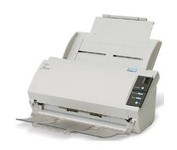
The fi-5110C image scanner with USB 2.0 interface capability expands the market for production scanning. These features will insure Fujitsu's customers' productivity well into the future.
Manufacturer:Fujitsu Product MPN MPN | PA03360-B055-R | Key Features Interface | USB 2.0 | Optical Resolution | 600 dpi | Max. Resolution (Hardware) | 600 x 600 dpi | Platform | PC | Max. Color Depth | 24-bit (16.7M Colors) | Technical Features Form Factor | Desktop | Scan Element Type | CCD | Light Source | Cold Cathode Fluorescent Lamp | Input Type | Color | Automatic Document Feeder Capacity | 50 Pages | Max. Gray Depth | 4-Bit (16 Gray Levels) | Media Supported Media Type | Plain Paper | Media Loading Method | Automatic Document Feeder | Max. Supported Media Size | Legal (216 x 356 mm) | System Requirements Platform | PC | Operating System | Microsoft Windows 2000 • Microsoft Windows 98 • Microsoft Windows Millennium Edition • Microsoft Windows NT • Microsoft Windows XP | Dimensions Width | 11.6 in. | Depth | 6.5 in. | Height | 5.1 in. | Weight | 5.95 lb. | Miscellaneous Release Date | May, 2005 | UPC | 097564306075 | Family Line | Fujitsu fi |
Tags:fujitsu, fi5110c,
| Kodak i1440$3,674.00 to $6,199.00
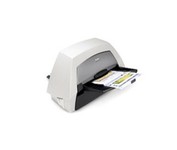
With the ability to handle virtually all your documents, regardless of shape, size or condition, the KODAK i1440 Scanner brings awesome productivity, flexibility, ease of use and enhanced Perfect Page image quality to your tabletop business scanning.
Manufacturer:Kodak Product MPN MPN | 8766198 | Key Features Scanner Type | Pass-Through Scanner | Interface | USB 2.0 | Optical Resolution | 600 dpi | Max. Resolution (Hardware) | 600 x 600 dpi | Max. Resolution (Interpolated) | 1200 x 1200 dpi | Platform | PC | Max. Color Depth | 48-bit Color | Technical Features Form Factor | Desktop | Scan Element Type | CCD | Input Type | Color | Automatic Document Feeder Capacity | 150 Pages | Max. Gray Depth | 8-Bit (256 Gray Levels) | Media Supported Media Type | Cards • Plain Paper | Media Loading Method | Manual Load • Automatic Document Feeder | System Requirements Platform | PC | Operating System | Microsoft Windows XP • Microsoft Windows 2000 Pro • Microsoft Windows Vista | Dimensions Width | 21.5 in. | Depth | 11.8 in. | Height | 14.4 in. | Weight | 23 lb. | Warranty Warranty | 1 Year | Miscellaneous UPC | 0041778766194 | Family Line | Kodak i |
Tags:kodak, i1440,
|
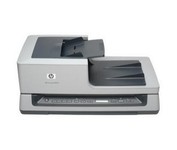
Get ready to duplex scan loads of material with our Scanjet N8420 Document Sheet-feed Scanner. You'll get output of up to 25 pages per minute or 50 images per minute.
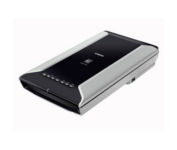
This is high-performance scanning at its best. The high-luminance white LED lamps use less power and enable scanning immediately after you press the power button. Seven EZ Buttons automate the scanning process—so it's simple to scan, copy and create emails and multi-page PDFs. To make it even easier, the Auto Scan Mode detects your type of original, then scans and saves it with the optimal settings. How fast? A letter-sized color scan takes only about 11 seconds2.Minimize
The fi-5110C image scanner with USB 2.0 interface capability expands the market for production scanning. These features will insure Fujitsu's customers' productivity well into the future.
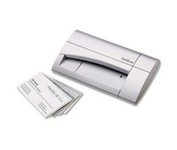
The CardScan Personal Business Card Scanner is a compact device is easy to take along on business trips. This handy, USB-powered card monochrome (black-and-white) scanner quickly gathers important contact information and then lets you store it, synchronizing with Microsoft Outlook, Palm handhelds, Pocket PCs and various smartphones.Minimize