IRISCARD PRO 4$128.00 to $300.00
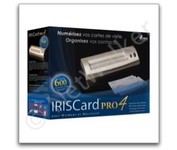
The IRISCard Pro 4 business card scanner zips through more than 600 cards per hour, instantly converting stacks of business cards into organized digital contacts.
Manufacturer:Iris Product MPN MPN | USOA393 | Key Features Scanner Type | Flatbed Scanner | Interface | USB 2.0 | Optical Resolution | 600 dpi | Max. Resolution (Hardware) | 600 x 600 dpi | Platform | PC, Mac | Technical Features Form Factor | Portable | Input Type | Color | Media Supported Media Type | Business Cards | Media Loading Method | Manual Load | System Requirements Platform | PC • Mac | Operating System | Microsoft Windows 2000 • Microsoft Windows XP • Microsoft Windows Vista • Apple MacOS X 10.3.9 | Dimensions Width | 6.1 in. | Depth | 1.9 in. | Height | 1.3 in. | Weight | 0.35 lb. | Miscellaneous Included Accessories | USB Cable | UPC | 765010103591 |
Tags:iriscard, pro, 4,
| Canon CanoScan LiDE100$55.00 to $86.00
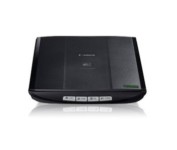
This is simple, high-performance scanning at its best. Four easy buttons automate the entire process, and the new Auto Scan mode makes it even easier: It actually detects the type of original you're scanning—a photo, business card, notebook or form—automatically adjusts settings for the optimal results, then scans and saves the image.Minimize
Manufacturer:Canon Product MPN MPN | 2923B002 | Key Features Scanner Type | Flatbed Scanner | Interface | USB 2.0 | Optical Resolution | 2400 dpi | Max. Resolution (Hardware) | 2400 x 4800 dpi | Max. Resolution (Interpolated) | 19200 x 19200 | Platform | PC, Mac | Max. Color Depth | 48-bit Color | Technical Features Form Factor | Desktop | Scan Element Type | Contact Image Sensor (CIS) | Light Source | RGB LED | Input Type | Color | Max. Gray Depth | 16-Bit (64K Gray Levels) | Media Supported Media Type | Business Cards • Plain Paper • Bulk Objects (Books, etc.) | Media Loading Method | Manual Load | Max. Supported Media Size | 8.5" x 11.7" | System Requirements Platform | PC • Mac | Operating System | Microsoft Windows 2000 • Microsoft Windows XP • Microsoft Windows Vista • Apple MacOS X 10.4 • Apple MacOS X 10.3.9 • Apple MacOS X 10.5 • Apple MacOS X 10.4.11 | Dimensions Width | 9.9 in. | Depth | 14.6 in. | Height | 1.6 in. | Weight | 3.5 lb. | Warranty Warranty | 1 Year | Miscellaneous Included Accessories | USB Cable | UPC | 4960999578064 | Family Line | Canon CanoScan |
Tags:canon, canoscan, lide100,
| Plustek MobileOffice D28$160.00 to $467.00
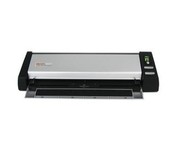
The Plustek MobileOffice D28 Corporate, a portable duplex scanner with hyper fast scanning speed, has perfect design for small business or work group usage.
Manufacturer:Plustek Product MPN MPN | 74L-BBM31-C | Key Features Scanner Type | Flatbed Scanner | Interface | USB 2.0 | Optical Resolution | 600 dpi | Max. Resolution (Hardware) | 600 x 600 dpi | Platform | PC | Max. Color Depth | 48-bit Color | Technical Features Form Factor | Desktop | Scan Element Type | Contact Image Sensor (CIS) | Input Type | Color | Max. Gray Depth | 16-Bit (64K Gray Levels) | Media Supported Media Type | Business Cards • Plain Paper | Media Loading Method | Manual Load | System Requirements Platform | PC | Operating System | Microsoft Windows 2000 • Microsoft Windows XP | Dimensions Width | 11.9 in. | Depth | 3.7 in. | Height | 2.4 in. | Weight | 2.11 lb. | Miscellaneous UPC | 783064283618 |
Tags:plustek, mobileoffice, d28,
|
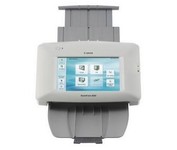
The ScanFront 220P is a LTR-size color duplex network scanner featuring a large 8.5 inch color touch screen, capable of fast, high quality scanning up to 26 pages per minute (35 ipm).
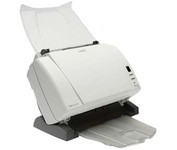
The Kodak i1310 Sheetfed Scanner provides the solution to all of your departmental scanning needs. With the i1310, you can auto-feed virtually any document, from the size of a driver's license up to 34" long, at speeds of up to 60 pages per minute.
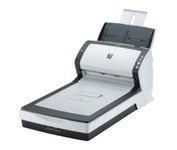
The fi-6240 is the first business scanner in its class to inherit highly regarded intelligent "fi-Series" automatic features from its higher end siblings.
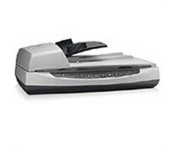
Perform fast document scanning at up to 25 ppm1—load up to 50 pages into the automatic document feeder for unattended scans. Make copies easily, using a dedicated one-touch Copy button that sends scans directly to your default printer.