Plustek MobileOffice D28$160.00 to $467.00
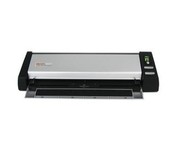
The Plustek MobileOffice D28 Corporate, a portable duplex scanner with hyper fast scanning speed, has perfect design for small business or work group usage.
Manufacturer:Plustek Product MPN MPN | 74L-BBM31-C | Key Features Scanner Type | Flatbed Scanner | Interface | USB 2.0 | Optical Resolution | 600 dpi | Max. Resolution (Hardware) | 600 x 600 dpi | Platform | PC | Max. Color Depth | 48-bit Color | Technical Features Form Factor | Desktop | Scan Element Type | Contact Image Sensor (CIS) | Input Type | Color | Max. Gray Depth | 16-Bit (64K Gray Levels) | Media Supported Media Type | Business Cards • Plain Paper | Media Loading Method | Manual Load | System Requirements Platform | PC | Operating System | Microsoft Windows 2000 • Microsoft Windows XP | Dimensions Width | 11.9 in. | Depth | 3.7 in. | Height | 2.4 in. | Weight | 2.11 lb. | Miscellaneous UPC | 783064283618 |
Tags:plustek, mobileoffice, d28,
| Canon CanoScan 5600F$110.00 to $216.00
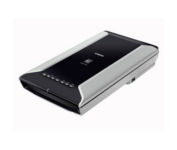
This is high-performance scanning at its best. The high-luminance white LED lamps use less power and enable scanning immediately after you press the power button. Seven EZ Buttons automate the scanning process—so it's simple to scan, copy and create emails and multi-page PDFs. To make it even easier, the Auto Scan Mode detects your type of original, then scans and saves it with the optimal settings. How fast? A letter-sized color scan takes only about 11 seconds2.Minimize
Manufacturer:Canon Product MPN MPN | 2925B002 | Key Features Scanner Type | Flatbed Scanner | Interface | USB 2.0 | Optical Resolution | 4800 dpi | Max. Resolution (Hardware) | 4800 x 9600 dpi | Max. Resolution (Interpolated) | 19200 x 19200 | Platform | PC, Mac | Max. Color Depth | 48-bit Color | Technical Features Form Factor | Desktop | Scan Element Type | CCD | Light Source | White and Infrared LED array | Input Type | Color | Max. Gray Depth | 16-Bit (64K Gray Levels) | Media Max. Supported Media Size | 8.5" x 11.7" | System Requirements Platform | PC • Mac | Operating System | Microsoft Windows 2000 • Microsoft Windows XP • Microsoft Windows Vista • Apple MacOS X 10.3 • Apple MacOS X 10.3.6 • Apple MacOS X 10.4 • Apple MacOS X 10.2.8 • Apple MacOS X 10.5 • Apple MacOS X 10.4.11 | Dimensions Width | 10.7 in. | Depth | 19.4 in. | Height | 3.8 in. | Weight | 9.5 lb. | Warranty Warranty | 1 Year | Miscellaneous Included Accessories | Power Cord • USB Cable | Family Line | Canon CanoScan |
Tags:canon, canoscan, 5600f,
| CardScan Personal V8$135.00 to $260.00
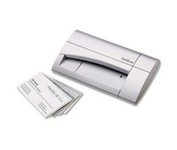
The CardScan Personal Business Card Scanner is a compact device is easy to take along on business trips. This handy, USB-powered card monochrome (black-and-white) scanner quickly gathers important contact information and then lets you store it, synchronizing with Microsoft Outlook, Palm handhelds, Pocket PCs and various smartphones.Minimize
Manufacturer:CardScan Product MPN MPN | CSPA08480ENG | Key Features Platform | PC | Technical Features Form Factor | Portable | Input Type | Monochrome | System Requirements Platform | PC | Operating System | Microsoft Windows 2000 • Microsoft Windows 98 • Microsoft Windows Millennium Edition • Microsoft Windows XP | Dimensions Width | 4.75 in. | Depth | 3.25 in. | Height | 1.5 in. | Weight | 0.475 lb. | Warranty Warranty | 2 Years | Miscellaneous Release Date | September, 2006 | UPC | 792980084803 |
Tags:cardscan, personal, v8,
|
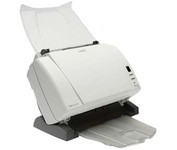
The Kodak i1310 Sheetfed Scanner provides the solution to all of your departmental scanning needs. With the i1310, you can auto-feed virtually any document, from the size of a driver's license up to 34" long, at speeds of up to 60 pages per minute.
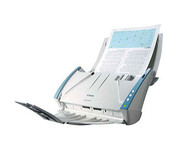
Introduce the DR-2010C into your business and you’ll find a whole host of powerful functionality delivering high productivity scanning for groups of users or whole departments.
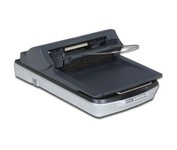
Named aptly, the Epson Perfection 4490 Scanner retains all the color and clarity of your images and documents in extraordinary 4800 x 9600 dpi resolution. Perfection 4490 Photo offers fully automatic scanning for increased productivity, plus two advanced scanning modes for greater control. Convenient film holders accommodate multiple 35mm slides and negatives, plus medium format film, and high speed USB 2.0 ensures fast data transfer. Included with the scanner is a fully featured software suite featuring programs such as Adobe Photoshop Elements and FineReader!Minimize
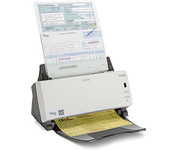
The KODAK SCANMATE i1120 Scanner transforms your paper documents into high-quality digital images that can be managed, sent, filed, and found—easily. One push of a button puts you in control of your documents and organizes your information.