Plustek MobileOffice D28$160.00 to $467.00
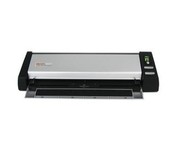
The Plustek MobileOffice D28 Corporate, a portable duplex scanner with hyper fast scanning speed, has perfect design for small business or work group usage.
Manufacturer:Plustek Product MPN MPN | 74L-BBM31-C | Key Features Scanner Type | Flatbed Scanner | Interface | USB 2.0 | Optical Resolution | 600 dpi | Max. Resolution (Hardware) | 600 x 600 dpi | Platform | PC | Max. Color Depth | 48-bit Color | Technical Features Form Factor | Desktop | Scan Element Type | Contact Image Sensor (CIS) | Input Type | Color | Max. Gray Depth | 16-Bit (64K Gray Levels) | Media Supported Media Type | Business Cards • Plain Paper | Media Loading Method | Manual Load | System Requirements Platform | PC | Operating System | Microsoft Windows 2000 • Microsoft Windows XP | Dimensions Width | 11.9 in. | Depth | 3.7 in. | Height | 2.4 in. | Weight | 2.11 lb. | Miscellaneous UPC | 783064283618 |
Tags:plustek, mobileoffice, d28,
| CardScan Executive$100.00 to $480.00
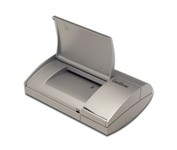
Do your business cards always end up in an unorganized pile on your desk or in your drawer? Does that make it difficult - sometimes impossible - to find the contact you're looking for? CardScan is your solution. CardScan is the fastest and most accurate way to get important business card information into your PC, handheld computer, desktop personal information manager (PIM), or digital mobile phone. The New CardScan 300 Executive is faster, sleeker, and has a detachable card catcher.Minimize
Manufacturer:CardScan Product MPN MPN | CS-A03640-CD | Key Features Scanner Type | Pass-Through Scanner | Interface | Parallel (IEEE1284) | Optical Resolution | 400 dpi | Max. Resolution (Hardware) | 400 x 400 dpi | Platform | PC | Technical Features Form Factor | Portable | Input Type | Monochrome | Max. Gray Depth | 8-Bit (256 Gray Levels) | Media Media Loading Method | Manual Load | System Requirements Platform | PC | Operating System | Microsoft Windows 95 • Microsoft Windows NT | Dimensions Weight | 1.32 lb. | Miscellaneous UPC | 792980030701 |
Tags:cardscan, executive,
| Plustek SmartOffice PS282$329.00 to $571.00
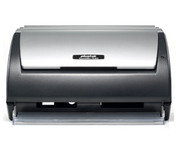
The Plustek SmartOffice PS282 is a compact, high-speed desktop scanning solution that effortlessly converts your paper into digital files. Despite its small size, the PS282 offers high-speed scanning at rates up to 25 Pages Per Minute in simplex or duplex mode.
Manufacturer:Plustek Product MPN MPN | 653-BBM31-C | Key Features Scanner Type | Flatbed Scanner | Interface | USB 2.0 | Optical Resolution | 600 dpi | Max. Resolution (Hardware) | 600 x 600 dpi | Platform | PC | Max. Color Depth | 48-bit Color | Technical Features Form Factor | Desktop | Scan Element Type | Contact Image Sensor (CIS) | Input Type | Color | Special Features | OCR Capability | Control Panel Buttons | Scan • E-mail • OCR • PDF | Automatic Document Feeder Capacity | 50 Pages | Max. Gray Depth | 16-Bit (64K Gray Levels) | Media Supported Media Type | Business Cards • Plain Paper | Media Loading Method | Automatic Document Feeder | Max. Supported Media Size | Legal (216 x 356 mm) | System Requirements Platform | PC | Operating System | Microsoft Windows XP Home • Microsoft Windows XP Professional • Microsoft Windows 2000 Pro | Dimensions Width | 10.36 in. | Depth | 5.02 in. | Height | 5.83 in. | Weight | 3.65 lb. | Miscellaneous UPC | 783064423571 | Family Line | Plustek SmartOffice |
Tags:plustek, smartoffice, ps282,
|
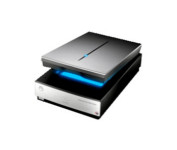
Get professional quality results from virtually any photographic original with the Epson Perfection™ V700 Photo scanner. With groundbreaking 6400 dpi resolution, this powerful scanner consistently delivers precision color and detail, whether scanning slides, negatives or medium format film.
Do your business cards always end up in an unorganized pile on your desk or in your drawer? Does that make it difficult - sometimes impossible - to find the contact you're looking for? CardScan is your solution. CardScan is the fastest and most accurate way to get important business card information into your PC, handheld computer, desktop personal information manager (PIM), or digital mobile phone. The New CardScan 300 Executive is faster, sleeker, and has a detachable card catcher.Minimize
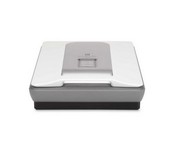
HP's Scanjet G3010 Photo Scanner provides you with exceptional photo and document scans. You'll create beautiful reprints with 4800 x 9600 DPI resolution. Scan multiple photos, slides or negatives, then save as separate files. Easily convert cherished 35 mm slides and negatives into Digital files you can print, share or save.Minimize
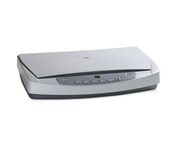
HP ScanJet 5590p is a complete out-of-the-box scanning solution - capture high quality scans from 35 mm slides and negatives. Easy plug-in connection - no need to remove the standard scanner lid.