Plustek SmartOffice PS282$329.00 to $571.00
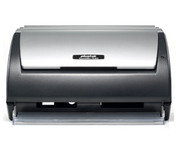
The Plustek SmartOffice PS282 is a compact, high-speed desktop scanning solution that effortlessly converts your paper into digital files. Despite its small size, the PS282 offers high-speed scanning at rates up to 25 Pages Per Minute in simplex or duplex mode.
Manufacturer:Plustek Product MPN MPN | 653-BBM31-C | Key Features Scanner Type | Flatbed Scanner | Interface | USB 2.0 | Optical Resolution | 600 dpi | Max. Resolution (Hardware) | 600 x 600 dpi | Platform | PC | Max. Color Depth | 48-bit Color | Technical Features Form Factor | Desktop | Scan Element Type | Contact Image Sensor (CIS) | Input Type | Color | Special Features | OCR Capability | Control Panel Buttons | Scan • E-mail • OCR • PDF | Automatic Document Feeder Capacity | 50 Pages | Max. Gray Depth | 16-Bit (64K Gray Levels) | Media Supported Media Type | Business Cards • Plain Paper | Media Loading Method | Automatic Document Feeder | Max. Supported Media Size | Legal (216 x 356 mm) | System Requirements Platform | PC | Operating System | Microsoft Windows XP Home • Microsoft Windows XP Professional • Microsoft Windows 2000 Pro | Dimensions Width | 10.36 in. | Depth | 5.02 in. | Height | 5.83 in. | Weight | 3.65 lb. | Miscellaneous UPC | 783064423571 | Family Line | Plustek SmartOffice |
Tags:plustek, smartoffice, ps282,
| HP Scanjet N6010$389.00 to $728.00
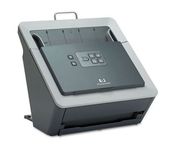
With the HP Scanjet N6010 Document Sheet-feed Scanner, HP further expands its business scanner portfolio. The HP Scanjet N6010 Document Sheet-feed Scanner, HP Scanjet 8300 Professional Image Scanner, HP Scanjet 8270 Flatbed Scanner, HP Scanjet 7650 Document Flatbed Scanner and HP Scanjet 5590 Digital Flatbed Scanner are ideal for general office scanning needs while the HP Scanjet 7800 Sheet-feed Document Scanner and HP Scanjet 8390 and HP 8350 Document Flatbed Scanners are ideal for workgroup document management scanning needs. HP business scanners provide reliable, high-quality, professional resultsMinimize
Manufacturer:Hewlett Packard Product MPN MPN | L1983A#B1H | Key Features Scanner Type | Flatbed Scanner | Interface | Cable • USB 2.0 | Optical Resolution | 600 dpi | Max. Resolution (Hardware) | 600 x 600 dpi | Platform | PC | Max. Color Depth | 48-bit Color | Technical Features Form Factor | Stationary | Scan Element Type | CCD | Input Type | Color | Special Features | OCR Capability | Control Panel Buttons | Copy • Scan Document • Cancel • PDF | Automatic Document Feeder Capacity | 50 Pages | Max. Gray Depth | 8-Bit (256 Gray Levels) | Preview Speed | 25 Sec | Media Supported Media Type | Business Cards • Plain Paper | Media Loading Method | Automatic Document Feeder | Max. Supported Media Size | Legal (216 x 356 mm) | System Requirements Platform | PC | Operating System | Microsoft Windows 2000 • Microsoft Windows XP • Microsoft Windows XP Home • Microsoft Windows XP Professional • Microsoft Windows XP Pro x64 | Dimensions Width | 12.6 in. | Depth | 10.63 in. | Height | 12.28 in. | Weight | 11.8 lb. | Miscellaneous Included Accessories | USB Cable • Automatic Document Feeder | UPC | 882780590410 |
Tags:hp, scanjet, n6010,
| Canon DR2580C$459.00 to $1,095.00
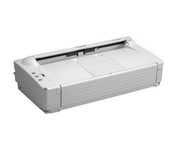
The DR-2580C fits neatly on your desk, shelf or countertop so you'll hardly notice it at all until you need fast, sharp scanning. Ideal for busy enterprises where instant document capture is essential in a small space.
Manufacturer:Canon Product MPN MPN | 0080B002AA | Key Features Scanner Type | Pass-Through Scanner | Interface | USB 2.0 | Optical Resolution | 600 dpi | Max. Resolution (Hardware) | 600 x 600 dpi | Platform | PC | Max. Color Depth | 24-bit (16.7M Colors) | Technical Features Form Factor | Desktop | Scan Element Type | Contact Image Sensor (CIS) | Light Source | RGB LED | Input Type | Color | Special Features | OCR Capability | Control Panel Buttons | E-mail | Automatic Document Feeder Capacity | 100 Pages | Max. Gray Depth | 8-Bit (256 Gray Levels) | Media Supported Media Type | Business Cards • Plain Paper | Media Loading Method | Manual Load • Automatic Document Feeder | Max. Supported Media Size | Legal (216 x 356 mm) | System Requirements Platform | PC | Operating System | Microsoft Windows 2000 • Microsoft Windows 98 • Microsoft Windows Millennium Edition • Microsoft Windows XP | Dimensions Width | 12 in. | Depth | 6.6 in. | Height | 3.2 in. | Weight | 4.2 lb. | Miscellaneous Release Date | March, 2005 | UPC | 013803047509 |
Tags:canon, dr2580c,
|
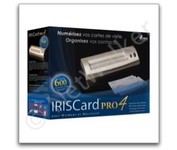
The IRISCard Pro 4 business card scanner zips through more than 600 cards per hour, instantly converting stacks of business cards into organized digital contacts.
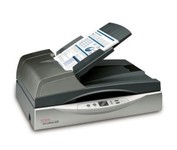
The Xerox DocuMate 632 is a departmental duplex flatbed scanner that scans up to 70 images per minute (ipm) in duplex mode. The 8.5” x 14.5” flatbed is the only departmental scanner that can be programmed to automatically scan to 99 different customizable applications or devices. Documents can be converted to text-searchable PDF in one easy step. Now you can instantly search documents for keywords or phrases. The DocuMate 632’s one-step installation is a snap with the plug and play Hi-Speed USB 2.0 port.Minimize
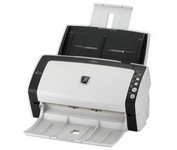
With duplex scanning performance of up to 80 images per minute in monochrome and grayscale, the fi-6130 also delivers uncompromised high-resolution performance of up to 60 images per minute in color at an astounding 300 dpi.
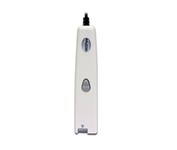
This scanning pen works just like a highlighter: simply slide it over printed information from newspapers, magazines, faxes, letters, etc... What you get is real and editable text, right at your cursor.