Canon DR4010C$1,968.00 to $3,200.00
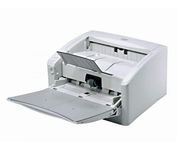
The DR-4010C is a color document scanner featuring state-of-the-art scanning technology that delivers exceptional image quality and speed.
Manufacturer:Canon Product MPN MPN | 1321B002AB | Key Features Interface | USB 2.0 • Ultra SCSI | Optical Resolution | 600 dpi | Max. Resolution (Hardware) | 600 x 600 dpi | Platform | PC | Max. Color Depth | 24-bit (16.7M Colors) | Technical Features Form Factor | Desktop | Light Source | RGB LED | Input Type | Color | Automatic Document Feeder Capacity | 100 Pages | Max. Gray Depth | 8-Bit (256 Gray Levels) | Media Supported Media Type | Plain Paper | Media Loading Method | Manual Load | Max. Supported Media Size | Legal (216 x 356 mm) | System Requirements Platform | PC | Dimensions Width | 12.52 in. | Depth | 10.94 in. | Height | 7.3 in. | Weight | 13.89 lb. | Miscellaneous Release Date | January, 2007 | UPC | 0013803065664 |
Tags:canon, dr4010c,
| Fujitsu fi5110C$646.00 to $1,150.00
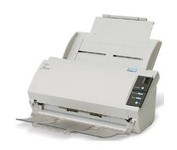
The fi-5110C image scanner with USB 2.0 interface capability expands the market for production scanning. These features will insure Fujitsu's customers' productivity well into the future.
Manufacturer:Fujitsu Product MPN MPN | PA03360-B055-R | Key Features Interface | USB 2.0 | Optical Resolution | 600 dpi | Max. Resolution (Hardware) | 600 x 600 dpi | Platform | PC | Max. Color Depth | 24-bit (16.7M Colors) | Technical Features Form Factor | Desktop | Scan Element Type | CCD | Light Source | Cold Cathode Fluorescent Lamp | Input Type | Color | Automatic Document Feeder Capacity | 50 Pages | Max. Gray Depth | 4-Bit (16 Gray Levels) | Media Supported Media Type | Plain Paper | Media Loading Method | Automatic Document Feeder | Max. Supported Media Size | Legal (216 x 356 mm) | System Requirements Platform | PC | Operating System | Microsoft Windows 2000 • Microsoft Windows 98 • Microsoft Windows Millennium Edition • Microsoft Windows NT • Microsoft Windows XP | Dimensions Width | 11.6 in. | Depth | 6.5 in. | Height | 5.1 in. | Weight | 5.95 lb. | Miscellaneous Release Date | May, 2005 | UPC | 097564306075 | Family Line | Fujitsu fi |
Tags:fujitsu, fi5110c,
| Canon DR2510C$570.00 to $895.00
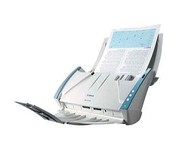
The DR-2510C is a compact workgroup scanner that delivers high levels of performance, ideal for workgroup environments and distributed scanning applications.
Manufacturer:Canon Product MPN MPN | 2455B002AA | Key Features Scanner Type | Flatbed Scanner | Interface | USB 2.0 | Optical Resolution | 600 dpi | Max. Resolution (Hardware) | 600 x 600 dpi | Platform | PC | Max. Color Depth | 24-bit (16.7M Colors) | Technical Features Form Factor | Desktop | Scan Element Type | Contact Image Sensor (CIS) | Light Source | RGB LED | Input Type | Color | Focus Control | Auto Focus | Control Panel Buttons | OCR • PDF | Automatic Document Feeder Capacity | 50 Pages | Max. Gray Depth | 8-Bit (256 Gray Levels) | Media Supported Media Type | Plain Paper | Media Loading Method | Manual Load • Automatic Document Feeder | Max. Supported Media Size | Legal (216 x 356 mm) | System Requirements Platform | PC | Operating System | Microsoft Windows 2000 • Microsoft Windows XP Home • Microsoft Windows XP Professional • Microsoft Windows Vista | Dimensions Width | 11.73 in. | Depth | 6.3 in. | Height | 6.3 in. | Weight | 5.29 lb. | Miscellaneous Release Date | December, 2007 | UPC | 4528472102139 |
Tags:canon, dr2510c,
|
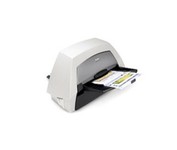
With the ability to handle virtually all your documents, regardless of shape, size or condition, the KODAK i1440 Scanner brings awesome productivity, flexibility, ease of use and enhanced Perfect Page image quality to your tabletop business scanning.
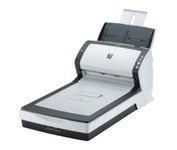
The fi-6240 is the first business scanner in its class to inherit highly regarded intelligent "fi-Series" automatic features from its higher end siblings.
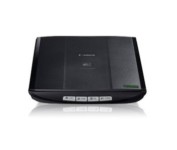
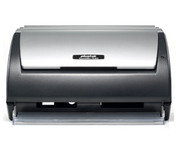
This is simple, high-performance scanning at its best. Four easy buttons automate the entire process, and the new Auto Scan mode makes it even easier: It actually detects the type of original you're scanning—a photo, business card, notebook or form—automatically adjusts settings for the optimal results, then scans and saves the image.Minimize
The Plustek SmartOffice PS282 is a compact, high-speed desktop scanning solution that effortlessly converts your paper into digital files. Despite its small size, the PS282 offers high-speed scanning at rates up to 25 Pages Per Minute in simplex or duplex mode.