Canon DR4010C$1,968.00 to $3,200.00
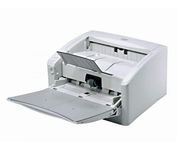
The DR-4010C is a color document scanner featuring state-of-the-art scanning technology that delivers exceptional image quality and speed.
Manufacturer:Canon Product MPN MPN | 1321B002AB | Key Features Interface | USB 2.0 • Ultra SCSI | Optical Resolution | 600 dpi | Max. Resolution (Hardware) | 600 x 600 dpi | Platform | PC | Max. Color Depth | 24-bit (16.7M Colors) | Technical Features Form Factor | Desktop | Light Source | RGB LED | Input Type | Color | Automatic Document Feeder Capacity | 100 Pages | Max. Gray Depth | 8-Bit (256 Gray Levels) | Media Supported Media Type | Plain Paper | Media Loading Method | Manual Load | Max. Supported Media Size | Legal (216 x 356 mm) | System Requirements Platform | PC | Dimensions Width | 12.52 in. | Depth | 10.94 in. | Height | 7.3 in. | Weight | 13.89 lb. | Miscellaneous Release Date | January, 2007 | UPC | 0013803065664 |
Tags:canon, dr4010c,
| IRISpen Executive 6$89.00 to $200.00
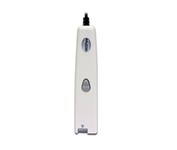
This scanning pen works just like a highlighter: simply slide it over printed information from newspapers, magazines, faxes, letters, etc... What you get is real and editable text, right at your cursor.
Manufacturer:Iris Product MPN MPN | HIPEX4TPAGE600 | Key Features Scanner Type | Fingerprint Reader | Interface | USB 1.1 | Platform | PC, Mac | Technical Features Form Factor | Portable | Input Type | Monochrome | Media Supported Media Type | Plain Paper • Bulk Objects (Books, etc.) | System Requirements Platform | PC • Mac | Operating System | Microsoft Windows 2000 • Microsoft Windows XP • Microsoft Windows Vista • Apple MacOS X 10.3 | Miscellaneous UPC | 00765010103270 |
Tags:irispen, executive, 6,
| Canon CanoScan 5600F$110.00 to $216.00
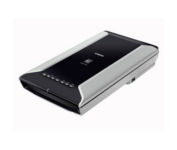
This is high-performance scanning at its best. The high-luminance white LED lamps use less power and enable scanning immediately after you press the power button. Seven EZ Buttons automate the scanning process—so it's simple to scan, copy and create emails and multi-page PDFs. To make it even easier, the Auto Scan Mode detects your type of original, then scans and saves it with the optimal settings. How fast? A letter-sized color scan takes only about 11 seconds2.Minimize
Manufacturer:Canon Product MPN MPN | 2925B002 | Key Features Scanner Type | Flatbed Scanner | Interface | USB 2.0 | Optical Resolution | 4800 dpi | Max. Resolution (Hardware) | 4800 x 9600 dpi | Max. Resolution (Interpolated) | 19200 x 19200 | Platform | PC, Mac | Max. Color Depth | 48-bit Color | Technical Features Form Factor | Desktop | Scan Element Type | CCD | Light Source | White and Infrared LED array | Input Type | Color | Max. Gray Depth | 16-Bit (64K Gray Levels) | Media Max. Supported Media Size | 8.5" x 11.7" | System Requirements Platform | PC • Mac | Operating System | Microsoft Windows 2000 • Microsoft Windows XP • Microsoft Windows Vista • Apple MacOS X 10.3 • Apple MacOS X 10.3.6 • Apple MacOS X 10.4 • Apple MacOS X 10.2.8 • Apple MacOS X 10.5 • Apple MacOS X 10.4.11 | Dimensions Width | 10.7 in. | Depth | 19.4 in. | Height | 3.8 in. | Weight | 9.5 lb. | Warranty Warranty | 1 Year | Miscellaneous Included Accessories | Power Cord • USB Cable | Family Line | Canon CanoScan |
Tags:canon, canoscan, 5600f,
|
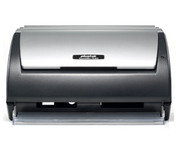
The Plustek SmartOffice PS282 is a compact, high-speed desktop scanning solution that effortlessly converts your paper into digital files. Despite its small size, the PS282 offers high-speed scanning at rates up to 25 Pages Per Minute in simplex or duplex mode.
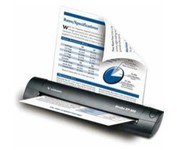
The Visioneer Strobe XP 300 is a reliable duplex scanner for the office, on the road or at home. Measuring only 2” x 2.5” x 12” and weighing a mere 20 ounces, the Strobe XP 300 is slim and lightweight. It fits neatly on a desk and packs easily alongside your laptop or in a briefcase for travel. Scans anywhere because it is powered through the USB port, or choose wall-powered mode to conserve your laptop battery. Now you can quickly scan, file and store all of your documents, plastic ID cards, photos, articles, brochures and business cards no matter where you are.Minimize
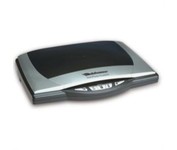
Visioneer OneTouch 9520 Photo scanner with a built-in 35mm transparency adapter scans at 48 bit color at 4800 x 9600 dpi resolution and a Hi-Speed USB 2.0 interface. Photo Restortion: restore damaged photos, remove dust and scratches, color enhance, resize, and crop your photos. Create your own DVD photo slide show. To better manage your documents in the digital world, the Visioneer OneTouch 9520 Photo scanner features the award winning ScanSoft PaperPort application to capture text in your documents, backup your important documents and files. Bundled software: Corel PaintShop Pro, ScanSoft PaperPort, and ArcSoft software suite.Minimize
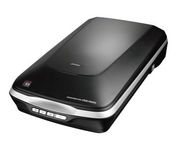
The Epson Perfection V500 Photo offers extraordinary quality and versatility with 6400 dpi resolution and an earth-friendly LED light source for greater productivity — all at an amazing value. Remove dust and scratches from slides, negatives and film. Or, restore faded color photos with one touch. Then, take your photos further with the included Adobe Photoshop Elements.Minimize